

V Camera
V Camera screenshots (9)



Description V Camera
A Practical Review of V Camera: Beyond Basic Photo Editing
The process of editing a photo or video often involves switching between multiple apps to achieve different effects—one for filters, another for overlays, and a separate tool for complex compositing. V Camera consolidates these functions into a single environment, positioning itself as a multifunctional editor that handles both standard adjustments and creative frame-based compositions. Its core mechanics are built around a library of dynamic, animated frames that transform standard media into contextual scenes, a feature that distinguishes it from simpler filter-based applications. This review examines the operational workflow, toolset integration, and practical output of the app based on its current version and feature set.
Functional Analysis and Core Mechanics
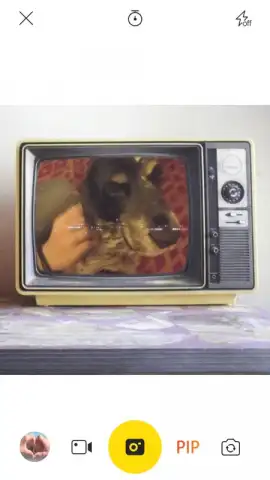
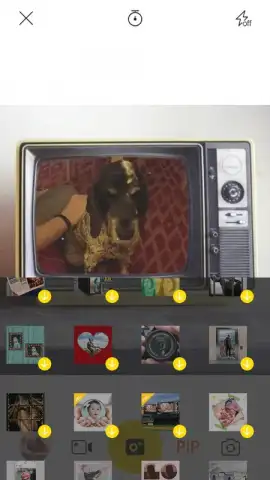
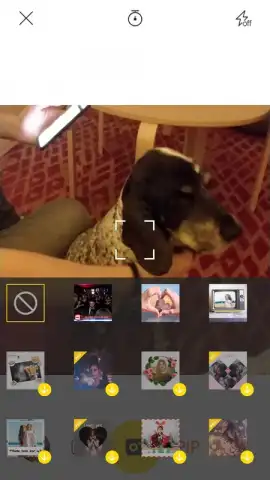
The primary operational module within V Camera is its frame compositing engine. This function allows users to insert a chosen photograph or video clip into predefined animated scenes, such as a television screen, a droplet of water, or hands forming a heart shape. The technical process involves selecting the base media, choosing a frame from the library, and manually adjusting the position and scale of the media within the frame's boundaries. A notable functional extension is the direct capture mode, which enables recording a new photo or video with the selected frame already applied in real-time. For instance, utilizing a news broadcast frame during recording will output a clip that simulates a live news report, while a TV frame can superimpose a subject onto a virtual television display. This direct integration of capture and compositing streamlines the creation process significantly.
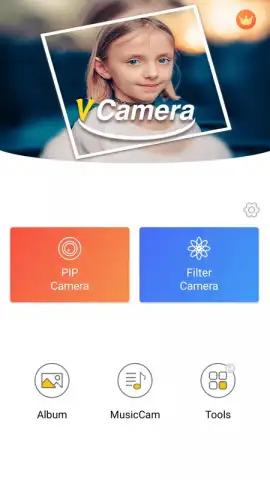
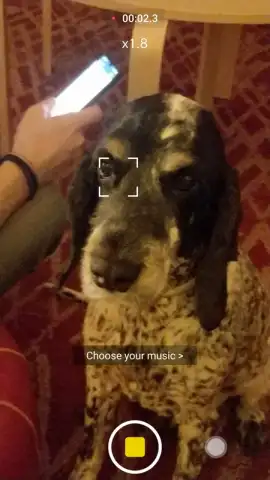
Beyond its signature framing tool, the application provides a secondary suite of standard editing instruments. These include a filter bank with several dozen preset options for color grading and stylistic effects, alongside tools for color correction, brightness, and contrast adjustment on static images. The app also supports the layering of audio tracks, stickers, and additional graphical effects onto both photos and video timelines. The interface segregates these advanced creative tools from the basic framing functions, allowing for a workflow that can range from quick, template-based creations to more manually refined projects. The absence of advertising in the core experience, contingent upon an optional turbo service, maintains an uninterrupted editing environment.
Key Feature Set
- Animated frame and scene compositing
- Direct capture with live frame overlay
- Dozens of color filters and correction tools
- Music, sticker, and graphical effect libraries
The app's architecture supports two primary use cases: rapid content generation using its template-driven frames and meticulous editing using its granular controls. For users seeking to create shareable, contextually framed media without advanced editing knowledge, the framing and direct capture modes provide a efficient solution. Conversely, the availability of standard editing tools means the same application can be used to perform color correction and enhancement on photos intended for more traditional purposes. This dual-purpose design eliminates the need to export and import projects between different specialized apps.
Limited Offer: Download the Mobile App Now
This version of V Camera includes exclusive, early access to its complete frame library and an ad-free editing session for the first users who install it today. The direct capture functionality with live overlays offers a time-saving advantage for creating polished social content immediately.
Requires a stable internet connection for initial download and access to certain asset libraries. The app may offer optional in-app purchases for premium features and effects.
 GooglePlay


