

Video Converter Android
Video Converter Android screenshots (4)
Description Video Converter Android
Imagine your Android device filled with videos—from classic films in AVI to clips in FLV—but your default player refuses to open them. Instead of searching for multiple niche players, a single conversion can unlock them all for smooth playback. Video Converter Android transforms your device into a universal media hub by standardizing your entire library into a single, compatible format.
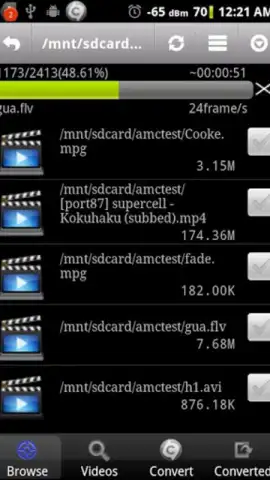
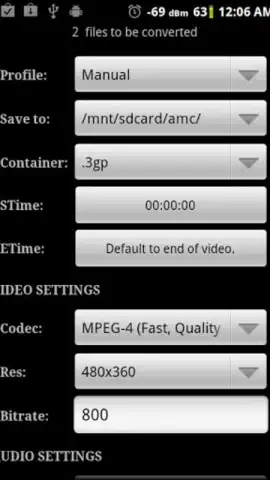
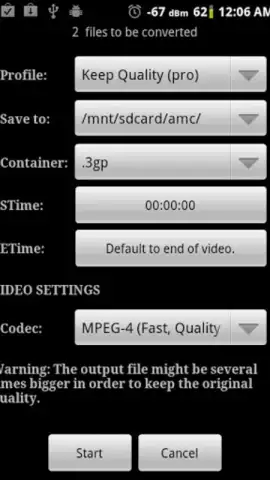
This application functions as a dedicated encoding tool, processing video files through a format conversion engine. It supports direct input from numerous container formats including ASF, AVI, DivX, FLV, M2V, M4V, MJPEG, MOV, MPG, OGG, OGV, RM, RMVB, WebM, and WMV. The core process re-encodes these inputs into the highly compatible MPEG4 standard, optimizing the video stream for reliable hardware decoding and playback on Android screens. A separate extraction module allows you to isolate the audio track from any supported video file and encode it into a standard MP3 audio file.
Core Functionality and User Workflow
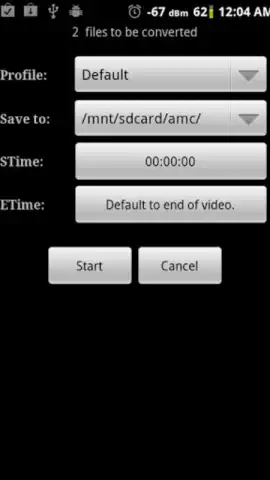
The operational principle centers on format unification rather than software proliferation. Users bypass the need to install multiple specialized video players, each handling a different format. Instead, they employ this single utility to convert diverse files into one consistent format. The workflow requires transferring a source file into the app, selecting MPEG4 as the target video format or MP3 for audio, and initiating the conversion process. The resulting file is saved locally and is immediately playable by the device's default media player.
Key Technical Features
- Broad Format Compatibility: Accepts input from over 15 video container formats like AVI, MOV, FLV, WMV, WebM, RMVB, and OGV for comprehensive library conversion.
- High-Compatibility Output: Encodes video into the standard MPEG4 format to ensure reliable playback across all Android devices and media players.
- Audio Extraction Utility: Extracts and converts audio streams from video files into standalone MP3 files for music libraries or audio playback.
Don't let incompatible video formats lock your media away. This tool streamlines your entire library. Download Video Converter Android now for exclusive, ad-free access—this limited offer for new users provides complete format freedom today only.
Internet required. IAP available.


