

VMtool
VMtool screenshots (2)
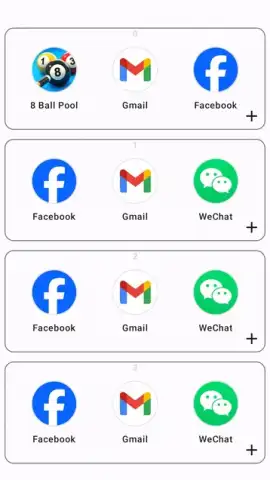
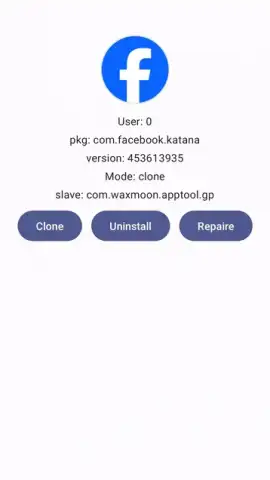
Description VMtool
Ever felt like your phone could do more, but you're limited by its basic operating system? What if you could run a completely separate, virtual machine right on your Android device, opening a world of possibilities for testing, development, or simply running apps in an isolated, secure sandbox? Welcome to VMtool, your portal to advanced mobile virtualization.
Core Functionality & Features
VMtool transforms your Android device into a powerful virtualization platform. It allows you to create, manage, and run full virtual machines with independent operating systems directly on your phone or tablet. This is not a simple emulator; it provides near-native hardware access for your virtual environments, enabling serious technical work, safe app testing, or learning about different OS architectures on the go. The interface is designed for both power users and those new to virtualization, with wizards to guide setup and advanced panels for fine-tuning every parameter of your virtual hardware.
You can allocate specific amounts of RAM, CPU cores, and storage to each VM, and choose from a variety of supported operating system images. Run a lightweight Linux distribution for programming, test an app in a clean Android environment, or create a dedicated workspace for specific tasks—all isolated from your host device. The tool includes features for taking snapshots of your VM's state, cloning configurations, and managing network settings, giving you complete control over your virtualized ecosystems.
Key Advantages
- Full System Virtualization: Run complete guest operating systems, not just single apps.
- Granular Hardware Control: Precisely allocate CPU, memory, and storage to each VM.
- Snapshot & Clone System: Save any VM state instantly and duplicate setups with one tap.
- High-Performance Engine: Optimized for ARM architectures to deliver smooth operation.
- Clean, Technical UI: A focused interface that puts all configuration and control at your fingertips.
We suggest trying VMtool to unlock the true potential of your Android device as a portable development lab, secure testing ground, or versatile toolset. Consider downloading it today to explore operating systems and software in a completely safe and controlled virtual space.
Download VMtool now and turn your mobile device into a multi-machine powerhouse.
Disclaimer: VMtool requires an internet connection for initial setup and downloading OS images. The app itself is free and may contain optional in-app purchases for advanced features or support. It is intended for users familiar with technical concepts; device performance may vary based on hardware specifications. Continued use may consume significant battery and data. Please ensure your device meets the minimum system requirements (Android 8.0+).
 GooglePlay


