

VN - Video Editor
VN - Video Editor screenshots (8)
Description VN - Video Editor
Ever feel like the videos on your phone are just raw clips, waiting to become something truly shareable? What if you could transform those everyday moments into polished, professional-looking films without needing a desktop computer or a degree in editing? The barrier between a simple clip and a stunning movie is thinner than you think.
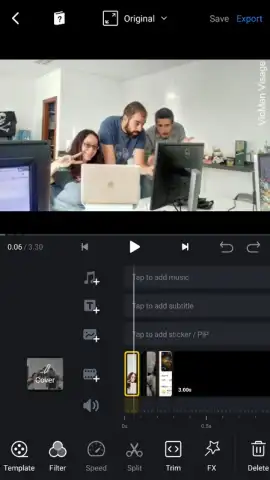
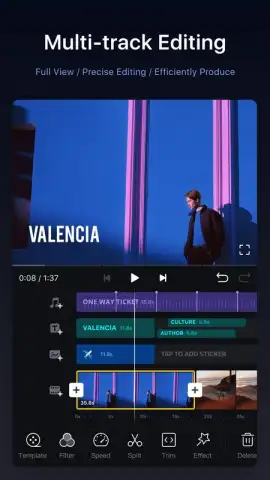
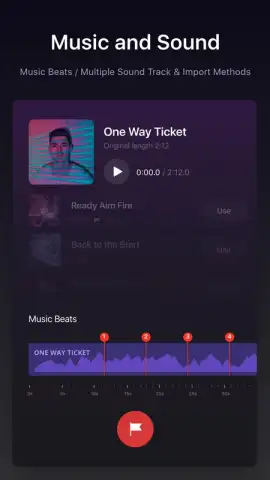
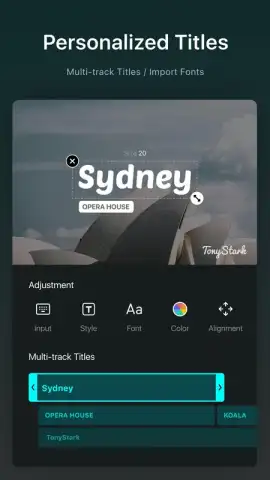
VN Video Editor places a comprehensive suite of professional tools directly into your hands. You begin by selecting all the video clips and photos you want to weave into your story. Once imported, you’re taken to a multi-track timeline where the real magic happens. This is your command center, where you can trim, split, and rearrange every piece of your narrative with precision. The timeline isn’t just for video; you add separate layers for background music, custom voiceovers, stylish text titles, and even dedicated tracks for applying filters. This layered approach gives you granular control over every aspect of your project, mirroring the workflow of high-end desktop software.
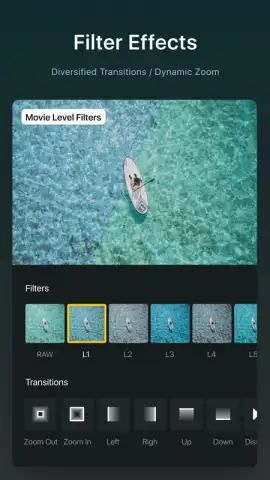
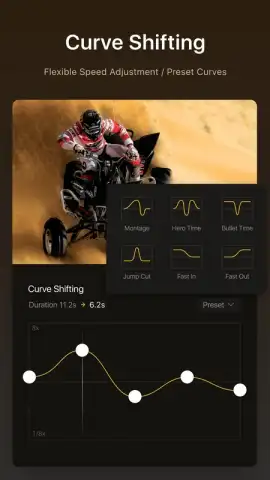
The editing toolkit available at the bottom of the screen is where your creativity is unleashed. Each menu opens a world of possibilities: you can adjust playback speed for dramatic slow motion or energetic time-lapses, apply visual effects to set a mood, add borders for a classic film feel, and insert smooth transitions between scenes. Tools for rotating, mirroring, and zooming into key moments are all accessible within a couple of taps. Once your visual story is complete, you fine-tune the audio by balancing levels between your original clip’s sound, added music, and any narration. When you’re satisfied, exporting is straightforward. Save your project directly within the app and then export it as a high-quality MP4 file to your device’s gallery, ready to share anywhere.
Beyond being a powerful editor, VN fosters a community. The app features its own social feed where you can publish your best short videos and discover content from other creators. This space serves as both a showcase for your work and a constant source of inspiration, showing you new techniques and creative ideas you can apply to your next project.
- Multi-Track Timeline Editing: Precisely arrange video, photos, audio, text, and effects on separate layers for complete creative control.
- Professional-Grade Toolset: Access speed controls, visual effects, transitions, borders, rotation, mirroring, and zoom tools all from an intuitive menu.
- Advanced Audio Mixing: Manage multiple audio tracks, including original sound, background music, and voiceovers, with independent volume controls.
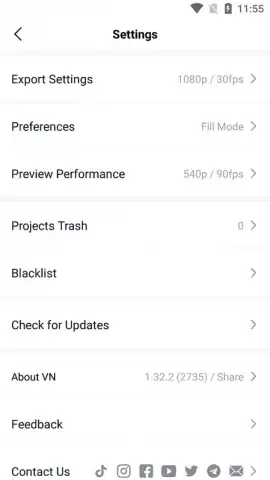
- High-Quality Export: Render and save your finished videos in MP4 format directly to your device’s gallery in various resolutions.
- Integrated Social Feed: Share your creations and browse a community feed for inspiration from other video editors.
- Ad-Free Experience with Turbo: Enjoy an uninterrupted editing workflow, with additional benefits available through the Turbo option.
Stop letting your videos sit idly in your gallery. Download VN Video Editor now and start turning your everyday moments into cinematic stories today. Get your professional editing advantage and claim your creativity now.
A stable internet connection may be required for certain features and accessing the community feed. The app offers in-app purchases, including the Turbo option for an enhanced ad-free experience.
 GooglePlay


