

Volume Equalizer
Volume Equalizer screenshots (4)
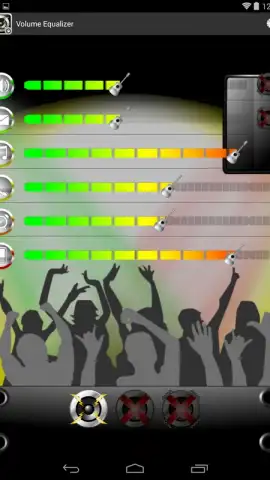
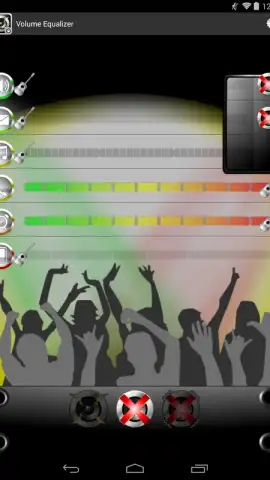


Description Volume Equalizer
Tired of Your Phone's Volume Playing Jekyll and Hyde?
You know the drill. You're finally lost in your favorite playlist, the volume cranked to feel every beat... and then a notification shatters the moment with an ear-piercing BLAST. Or worse, your morning alarm is a gentle whisper one day and a panic-inducing siren the next. It feels like your phone has a mind of its own, with one clumsy master volume slider for everything. What if you could be the true conductor of your device's sound?
Welcome to Volume Equalizer, your all-access pass to precise, per-app audio control. This isn't just another settings tweak; it's a complete overhaul of how you experience sound on your Android. Imagine a world where your music, calls, alarms, and notifications each have their own independent volume dial. You set the rules. You create the perfect sound profile for every part of your day, and your phone finally listens to you.
Craft Your Perfect Soundscape, One App at a Time
Volume Equalizer hands you the tools to eliminate audio annoyances for good. The core magic lies in its ability to separate and control the volume levels of individual system processes. This means the blaring ringtone that interrupts your podcast is a problem of the past. You can confidently max out your media player for an immersive experience, while knowing your incoming call volume is set to a civilized, audible level.
But the control goes even deeper. The app lets you save up to three distinct sound profiles, which you can switch between with a single tap. Think of them as audio moods for your life. Create a "Focus" preset with media up and notifications muted. A "Nighttime" profile with alarms at the perfect level to wake you gently, not the neighbors. A "Commute" setup that ensures you never miss a call over traffic noise. The simple, intuitive interface makes managing these powerful settings effortless, putting you in command without a confusing maze of menus.
And here’s the best part: you enjoy this granular control completely ad-free. The experience is streamlined, focused, and entirely about enhancing your audio, not interrupting it with promotions. It’s the premium, turbo-charged approach to sound management you’ve been waiting for.
- Independent Per-App Volume Control
- Save Three Custom Sound Profiles
- Simple, Ad-Free Intuitive Interface
- Perfect for Music, Calls, and Alarms
Stop letting your phone's chaotic volume ruin your moments. Take definitive control and create a perfectly balanced audio environment tailored just for you.
Download Volume Equalizer now and transform your phone from a noisy nuisance into a finely-tuned instrument!
Requires an Android device and an internet connection for initial download. The app is free with optional in-app purchases for advanced features.


