

VPlayer Video Player
VPlayer Video Player screenshots (7)

Description VPlayer Video Player
What makes a video player truly indispensable on Android? It's not just about playing files; it's about seamless compatibility, granular control, and an interface that gets out of your way. VPlayer Video Player by Yixia addresses this core question directly. This application positions itself as a comprehensive media hub, engineered to handle the vast ecosystem of video formats that modern users encounter, from personal recordings to downloaded media, without the typical conversion hassles. Its design philosophy merges a clean, intuitive user experience with a depth of functionality typically reserved for desktop software, creating a robust tool for both casual viewing and demanding playback scenarios.
Core Functionality and Performance Analysis
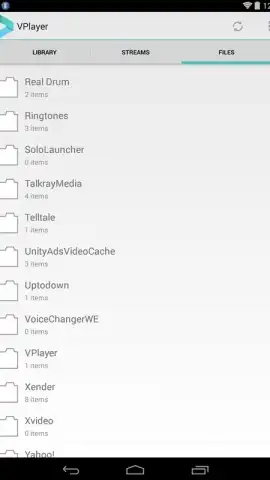
At its heart, VPlayer is built upon a powerful decoding engine. Its primary function is the reliable playback of an extensive array of video containers and codecs, including but not limited to AVI, MOV, MKV, FLV, MP4, WMV, and specialized formats like TS, M2T, and TP. This broad native support effectively eliminates the need for external codec packs or frustrating file incompatibility messages. Performance is consistent, with smooth rendering and efficient hardware acceleration where supported. Beyond local files, the application integrates a direct gateway to YouTube, allowing users to stream content within the player environment, which can be preferable for managing playback controls and watch history in a unified space. A significant operational note is its licensing model: the app operates on a full-featured, seven-day trial basis, providing complete access to evaluate its capabilities before any commitment is required.
Detailed Feature Set and Customization
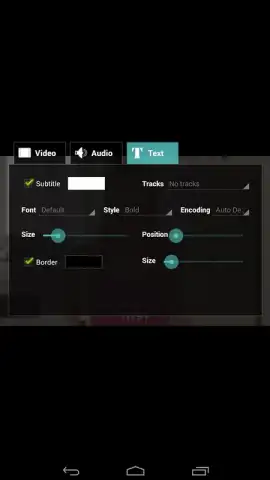
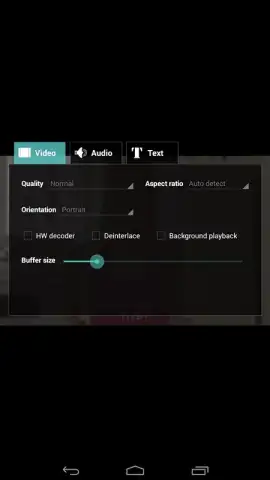
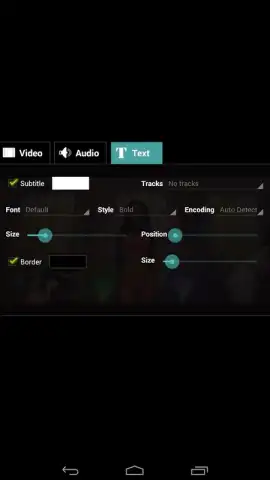
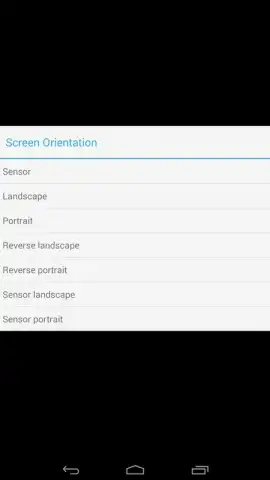
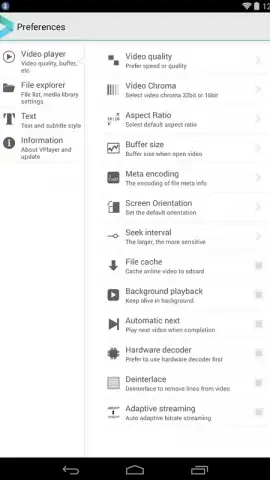
Where VPlayer distinguishes itself is in its layer of user-configurable options that cater to nuanced viewing preferences. The subtitle system is notably sophisticated; users can manually load external subtitle files (in formats like SRT or ASS) and then meticulously adjust their presentation. This includes precise control over font size, color palette, opacity, background, and the addition of outlines or shadows for optimal readability against any video backdrop. Furthermore, the player offers flexible display management. Users can lock the screen orientation to portrait or landscape independent of device settings and adjust the video aspect ratio to fit, stretch, or zoom the image to correct for source file anomalies or personal preference. The advertised "Turbo" mode suggests an optimized performance profile, potentially enhancing battery life and playback smoothness by streamlining background processes.
- Extensive Format Support: Plays AVI, MOV, MKV, FLV, MP4, WMV, TS, 3GP, and many more without conversion.
- Integrated YouTube Streaming: Watch YouTube videos directly within the player's controlled interface.
- Advanced Subtitle Engine: Load external subtitle files and customize font size, color, shadow, and background.
- Flexible Display Controls: Manually lock screen orientation and adjust video aspect ratio and zoom.
- Optimized Performance Mode: Utilizes a Turbo setting to enhance playback efficiency and device battery life.
Experience this level of control over your media library. Download VPlayer Video Player now and transform your Android device into a capable multimedia station.
Internet required. IAP available.


