

VPNC Widget
VPNC Widget screenshots (5)

Description VPNC Widget
What is the most efficient way to manage a VPN connection on a rooted Android device?
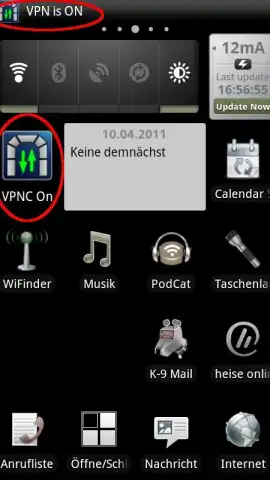
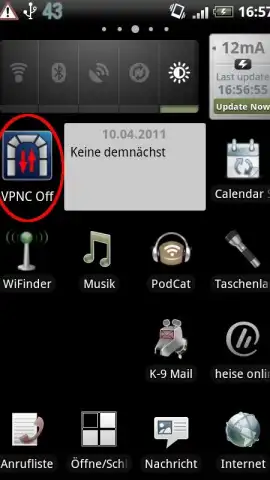
VPNC Widget is a specialized utility application designed for Android 2.x devices that require a root-level VPN client. Its core function is to establish a connection to VPN servers, such as those from Cisco or Fritzbox, directly from a home screen widget with a single tap. This review examines its operational mechanics, specific system requirements, and the practical implications of its design for users of legacy or modified Android systems. The application’s primary value lies in its widget-based access, which bypasses the need to open a full application interface for initiating a VPN tunnel, positioning it as a tool for users with very specific technical configurations.
Core Functionality and Operational Parameters
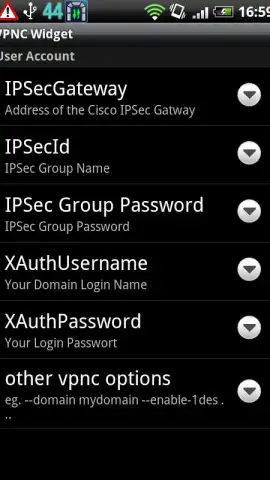
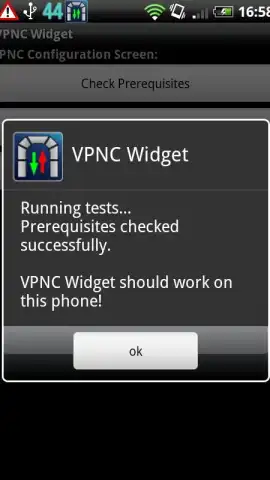
The application operates by placing a interactive widget on the device's home screen. Tapping this widget triggers the VPN connection sequence without further user intervention, provided all prerequisites are met. It is engineered explicitly for the VPNC protocol and supports only Pre-Shared Key (PSK) authentication methods. A significant operational note is its limitation to a single user or server profile; it cannot store or manage multiple connection configurations simultaneously. For connectivity, the device kernel must include TUN module support and the "advanced routing" feature. The absence of advanced routing can lead to connection drops during Wi-Fi DHCP renewals, necessitating a manual reconnection by the user.
Critical System Requirements and Security Context
VPNC Widget has non-negotiable technical dependencies that define its user base. It requires a rooted Android device (Android 2.x) with superuser (root) permissions granted upon request. The widget itself cannot be installed on external SD storage and must reside in internal memory. Importantly, the use of automatic task killers or aggressive battery optimizers is not recommended, as they can interfere with the background service maintaining the VPN connection. While the application stores credentials, including passwords, on the device, it states this data is not accessible to other applications without root permissions. The developer provides the software "as is," with no warranties, placing the responsibility for potential security risks inherent in rooting and VPN use on the user.
Analysis of Practical Use and Alternatives
In testing across various custom ROMs, the widget demonstrates reliability for its narrow use case: providing quick widget-based VPNC access on rooted legacy hardware. Its design philosophy favors minimalism and speed over feature breadth. For users with non-rooted devices or those running Android 4.0 and above, the developer explicitly recommends an alternative application, VpnCilla, which supports a broader feature set without requiring root access. This delineation clearly segments the tool for a niche audience of advanced users managing specific network hardware with older, rooted Android devices.
- One-Tap Widget Connection: Initiates a VPNC protocol connection directly from the home screen for immediate network access.
- Root-Dependent Operation: Requires a rooted Android 2.x device with superuser permissions granted for full functionality.
- Single Profile PSK Support: Configures one VPN server connection using Pre-Shared Key authentication exclusively.
Download this mobile app now if your setup matches its strict requirements! Don't wait to streamline your rooted device's VPN access!
Heads up: you'll need wifi for most features. Some cool stuff is extra. This app requires a rooted device and system kernel support; use at your own risk.


