

Weather App - Lazure: Forecast & Widget
Weather App - Lazure: Forecast & Widget screenshots (4)
Description Weather App - Lazure: Forecast & Widget
What Defines a Comprehensive Weather Application for Modern Users?
A weather application's core utility is measured by its data depth, interface clarity, and reliability. Weather App - Lazure: Forecast & Widget positions itself as a tool focused on delivering an extensive meteorological dataset through a visually structured interface. The primary operational premise is the aggregation of multiple data points into a single, customizable dashboard, accessible via the main application screen and a dedicated home screen widget. This review examines its functional mechanics, data presentation, and key differentiators from a purely analytical standpoint.
Core Functional Mechanics and Interface Design
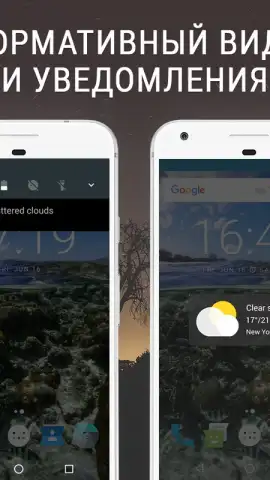
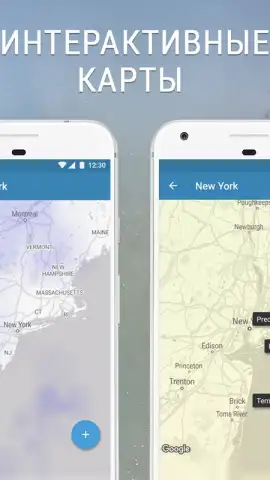
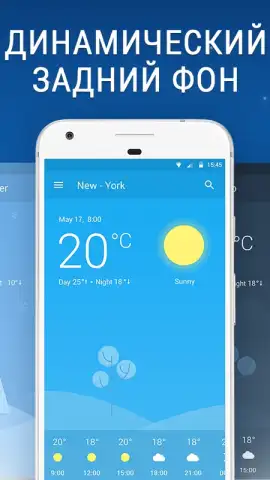
The application processes real-time weather data from established meteorological sources, presenting it through a layered interface system. The visual design utilizes a clean, card-based layout that segments different data types—such as current conditions, hourly forecasts, and extended outlooks—into distinct modules. A significant operational feature is the interactive world map, which visualizes select data layers like precipitation probability or air quality indexes across geographical regions. The notification system is configurable, allowing users to set alerts for specific parameter changes, such as precipitation thresholds or significant temperature shifts, which are delivered via the standard Android notification drawer.
The absence of display advertising within the core navigation and forecast views is a noted technical aspect of the standard version. The developer cites a 'Turbo' enhancement, which typically denotes a premium or unlocked tier within utility applications, suggesting the ad-free experience and potential for advanced features are tied to this operational mode. The widget system offers multiple size configurations and data density options, enabling users to select the specific metrics displayed directly on the home screen without needing to launch the full application.
Detailed Breakdown of Meteorological Data Presentation
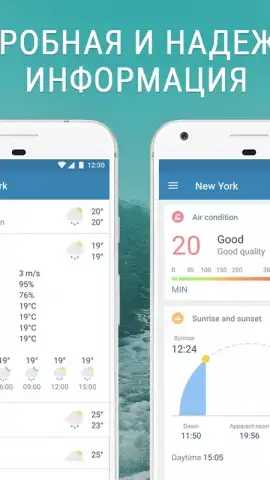
- Extended Atmospheric Metrics: Provides granular data beyond temperature, including humidity percentage, barometric pressure, wind speed and cardinal direction, and UV index readings for comprehensive environmental awareness.
- Forecast and Astronomical Information: Features multi-day forecasts, hourly precipitation probability charts, and precise timings for sunrise, sunset, and current moon phase with visibility statistics.
- Environmental and Map-Based Data: Integrates air quality index (AQI) monitoring and displays key weather data overlays on a zoomable global map for spatial context of weather systems.
The application consolidates these variables into a unified feed, with some metrics, like wind patterns or storm fronts, being represented graphically on the map view. The unit system for temperature (Celsius/Fahrenheit) and wind speed (kph/mph) is user-selectable within the settings panel, confirming its intended use for a global audience. The architecture suggests a focus on users who prioritize data density and the ability to monitor hyper-local conditions alongside broader regional trends.
Start accessing a detailed meteorological dashboard today by integrating this tool into your daily planning routine.
Download mobile app now
Disclaimer: This application requires a persistent internet connection for data updates and full functionality. It may offer in-app purchases for premium features or an enhanced 'Turbo' mode. Please check the product listing for specific age ratings and review the app's privacy policy to understand data collection and usage practices regarding location and device information.


