

WiFi Connect
WiFi Connect screenshots (7)

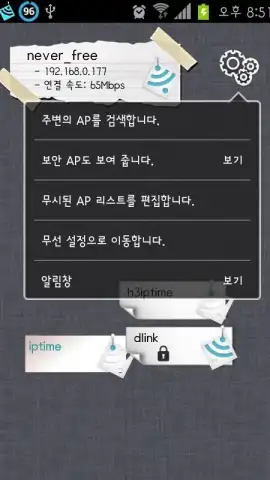

Description WiFi Connect
A Modern Solution for Seamless Social Connectivity
In an era where a stable internet connection is the backbone of social interaction, WiFi Connect addresses the fundamental need for reliable network access. This utility streamlines the process of discovering and connecting to available WiFi networks, removing a common technical barrier that can disrupt communication, content sharing, and online presence. It functions as a pragmatic tool for maintaining your digital social life without interruption, ensuring you remain connected to conversations and communities.
Core Functionality and Social Integration
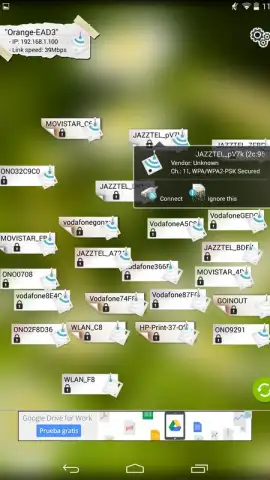
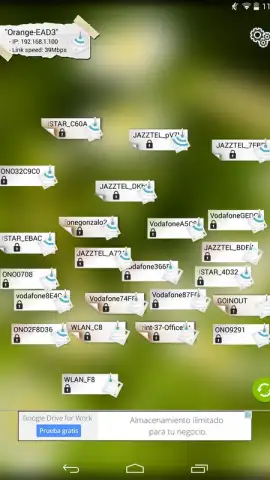
WiFi Connect operates as an intelligent network manager with a focus on user-centric design. Its primary function is to provide a clear, organized interface that scans for and displays all accessible WiFi hotspots in your vicinity, presenting key information like signal strength and security type at a glance. The app simplifies the connection process to a single tap, reducing the friction typically involved in joining new networks. For social users, this seamless transition between networks means continuous access to messaging platforms, social media feeds, and live streams, effectively preventing the social disconnection that occurs during network downtime. The tool is designed to work quietly in the background, empowering your other social applications with consistent connectivity.
Key Operational Advantages
The utility of WiFi Connect is defined by its straightforward efficiency and performance-oriented design.
- Streamlined Network Discovery Interface: Presents a clean, sortable list of available networks with essential connection details, eliminating clutter and confusion.
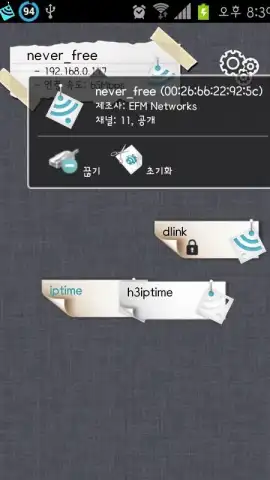
- One-Tap Secure Connection Protocol: Establishes a link to password-protected or open networks with minimal user input, prioritizing speed and convenience.
- Background Performance Optimization: Manages connections efficiently to conserve device resources while ensuring other apps have a stable data pathway.
We suggest trying WiFi Connect if you frequently move between locations and require a dependable, no-fuss method to maintain your online social engagements. Consider downloading it to minimize connectivity gaps and support your digital lifestyle.
Disclaimer: This application requires an active internet connection for initial network scanning and functionality. It may access device location services to improve network discovery accuracy. Please be mindful of data usage and security when connecting to public or unsecured WiFi networks. The app requires basic permissions to manage WiFi connections on your device.


