

wifiPass
wifiPass screenshots (2)
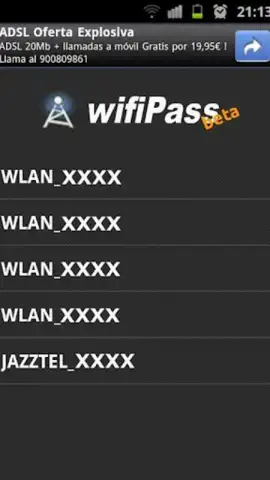

Description wifiPass
Unlock Immediate Network Visibility and Recovery
WifiPass delivers direct access to your device's stored wireless network configurations, enabling rapid security checks and password retrieval. This utility operates by scanning and displaying information for all Wi-Fi networks your device can detect, presenting data in a structured, scannable interface. The primary function is to assist users in managing their own known networks, though the technical capability to view details for any detected network is present.
Core Functionality and Operational Modes
The application launches directly into an automated scanning mode, requiring no manual input to begin network detection. It processes surrounding Wi-Fi signals, compiling a list with relevant details; scan duration varies based on the density of available networks, typically completing within seconds. Users then select any network from this list to view its specific configuration and security parameters. The tool is designed with a minimalistic interface that presents technical data without unnecessary complexity, focusing purely on network information retrieval.
- Automated Network Discovery: Initiates a passive scan upon launch, listing all in-range Wi-Fi access points with key identifiers without user intervention.
- Configuration and Password Retrieval: Accesses and displays the security type and stored password for networks previously connected to and saved on the device.
- Security Status Overview: Provides a clear view of the encryption protocol (e.g., WPA2, WPA3) for any selected network, allowing for a basic security audit.
The process is designed for simplicity: open the app, wait for the scan, and select a network entry. It is critical to note that interacting with networks you do not own or have explicit permission to manage may violate local laws and terms of service. The application is a diagnostic tool intended for personal network management and troubleshooting connectivity or access issues with your own equipment.
Download WifiPass now and take immediate control of your wireless network information!
Disclaimer: This application requires an internet connection for initial download and potential updates. Use of this tool must comply with all applicable local laws and regulations regarding network access and security. The developer is not responsible for misuse. Network information should only be accessed for networks you own or have authorization to manage.


