
Windows Theme
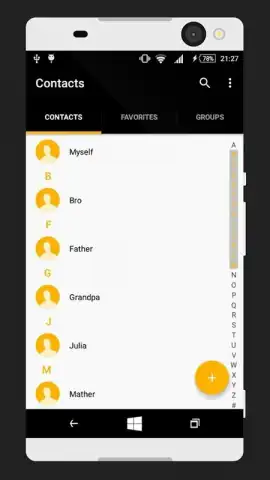
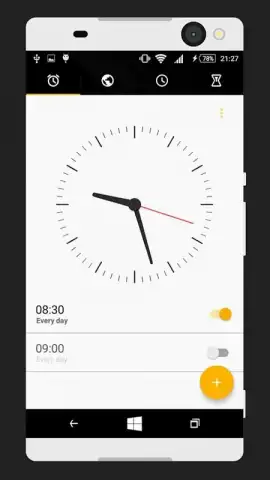
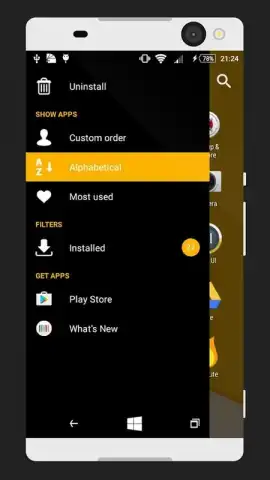
Windows Theme screenshots (4)
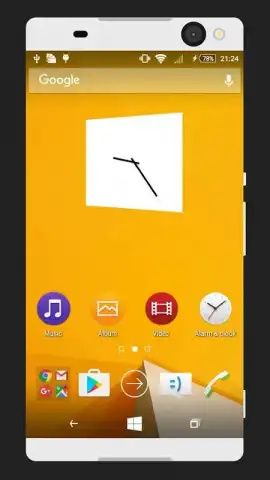
Description Windows Theme
Transform Your Android Device into a Seamless Windows Workstation
For users seeking a cohesive digital ecosystem, the fragmentation between desktop and mobile interfaces remains a persistent friction point. Windows Theme directly addresses this by meticulously reconstructing the familiar Windows 11/10 environment on your Android device. This is not a superficial skin change; it is a comprehensive theming engine that delivers the visual language, interaction patterns, and organizational logic of a modern Windows PC to your pocket, creating a uniquely productive and nostalgic user experience.
A Deep Dive into Theming Mechanics and Customization
The application operates as a sophisticated launcher and theming suite, requiring no root access. Upon activation, it replaces your default home screen with a faithful recreation of the Windows desktop, complete with a functional Start Menu, a centered Taskbar, and live, interactive Widgets. The core mechanics involve applying deeply integrated visual packs that transform system icons, system sounds, wallpapers, and even cursor styles to match the Microsoft Fluent Design system. You can pin applications to the Taskbar or scatter shortcuts across the desktop, mimicking a true PC workflow. The level of detail extends to sub-menus, window animations, and notification styles, ensuring immersion is maintained across the UI.
Key Advantages of the Windows Theme Launcher
The primary strength of this application lies in its execution and performance. It achieves a high-fidelity visual translation without imposing a significant performance overhead on your device, ensuring smooth navigation and transitions.
- Authentic Windows 11/10 Interface: Implements the iconic Start Menu with live tiles, a centered Taskbar with system tray, and a clean desktop, offering immediate familiarity.
- Extensive Customization Library: Access a vast, regularly updated collection of theme packs, icon sets, and wallpaper bundles to fine-tune every visual element to your preference.
- Lightweight and Stable Performance: Engineered for efficiency, the theme applies seamlessly without draining battery life or causing launcher crashes, ensuring daily driver reliability.
Don't just customize your phone—redefine its entire operating paradigm. Bridge the gap between your devices and unlock a streamlined, professional interface today.
Download the Windows Theme mobile app now!
Disclaimer: This application is a third-party theming tool and requires launcher permissions to function. It is not affiliated with or endorsed by Microsoft Corporation. An internet connection may be required to download additional theme packs. The app may contain optional in-app purchases for premium content. Please review the app's data usage and privacy policy. Requires Android 4.3 (Jelly Bean MR2) or higher. Use of Windows-associated imagery is for thematic purposes only.


