

Winlator
Winlator screenshots (6)

Description Winlator
Can Your Android Device Truly Run a Windows PC?
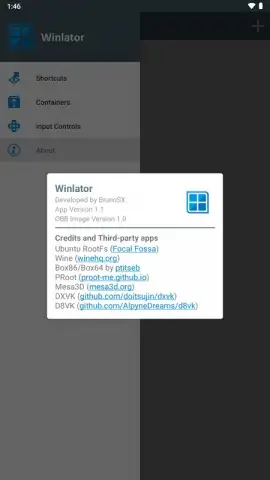
What if the library of classic Windows software and games could be unlocked directly on your Android phone or tablet? Winlator, developed by BrunoSX, is not merely another mobile simulator; it is a sophisticated container-based emulation environment that bridges the gap between Android and desktop Windows (x86/x64) architectures. By leveraging powerful, open-source translation layers like Wine, Box86, and Box64, it creates isolated virtual spaces where PC applications can execute. The initial setup involves a one-time processing period where the application unpacks essential data from its OBB file, after which you are free to create multiple, distinct containers. Each container acts as a customizable virtual machine, allowing you to segregate a productivity desktop environment from a high-performance gaming setup, all managed through your device's internal storage.
A Technical Deep Dive into Performance and Customization
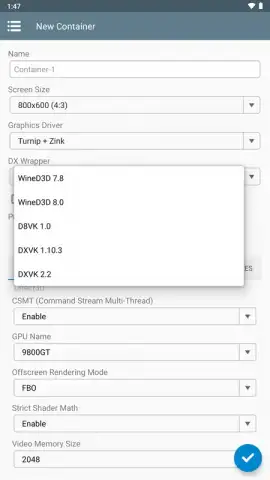
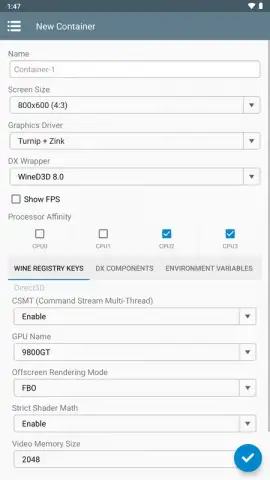
The true capability of Winlator is revealed in its granular control over the virtual hardware. Upon launching any program, you are presented with a detailed configuration panel. Here, you can specify the exact screen resolution, select between different graphic driver backends (like Turnip or VirGL), choose the DirectX wrapper version, and even define the emulated GPU model. Crucially, you can allocate the number of CPU cores dedicated to the container and adjust system memory, allowing you to fine-tune performance based on your device's capabilities and the demands of the software. This level of control is essential, as performance for titles like Fallout 3, Deus Ex: Human Revolution, Mass Effect 2, or The Elder Scrolls IV: Oblivion is inherently dependent on your hardware's raw power; a more potent processor and ample RAM will yield significantly smoother frame rates and stability, requiring experimentation with these settings for optimal results.
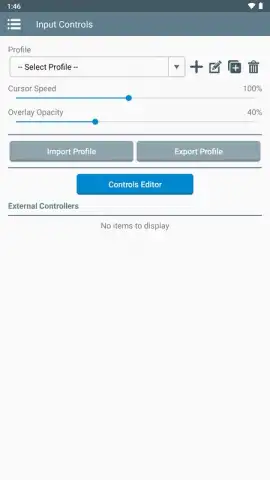
Input flexibility is a cornerstone of the experience. Winlator supports both touch-screen overlays, which can be customized for each game, and full external hardware integration. You can seamlessly connect a Bluetooth or USB mouse and keyboard for precise control, effectively transforming your Android device into a portable PC workstation or gaming rig. The absence of intrusive advertising creates an uninterrupted, immersive environment, letting you focus entirely on configuration and gameplay.
- Advanced Windows Emulation: Executes x86/x64 Windows programs and games using a robust stack of Wine, Box86, and Box64 technologies.
- Isolated Container System: Create and manage separate, customizable virtual environments for different applications or games.
- Granular Hardware Configuration: Precisely control emulated screen size, GPU driver, DirectX version, CPU core count, and memory allocation.
- Broad Input Device Support: Utilizes customizable touch controls, Bluetooth/USB keyboards, and mice for authentic PC interaction.
- Performance-Optimized for Gaming: Capable of running demanding classic PC titles with settings tailored to your Android device's hardware.
Unlock the full potential of your device and access decades of software. Claim your portable PC advantage now.
Internet required. IAP available.


