

X Icon Changer
X Icon Changer screenshots (5)

Description X Icon Changer
Tired of Your Phone Looking Like Everyone Else's?
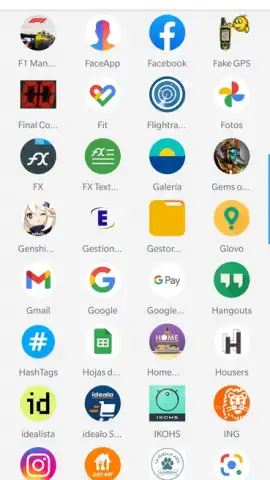
The default grid of app icons represents a significant point of visual monotony in modern smartphones. Every device from the same manufacturer ends up with an identical, impersonal interface, making personal expression a challenge confined to wallpapers and widgets. X Icon Changer by ASTER PLAY addresses this gap directly, functioning as a dedicated utility for deep, system-level aesthetic customization. It moves beyond superficial changes to offer granular control over one of the most frequently viewed elements on your screen: the application icons themselves. This tool is engineered for users who view their smartphone not just as a tool, but as a curated personal device where every detail can reflect individual taste.
A Technical Overview of Customization Capabilities
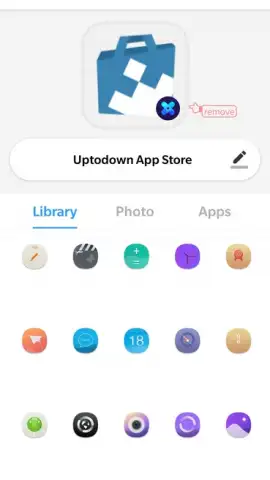
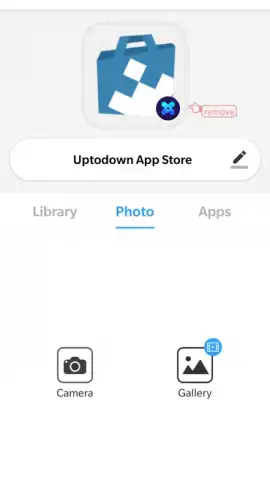
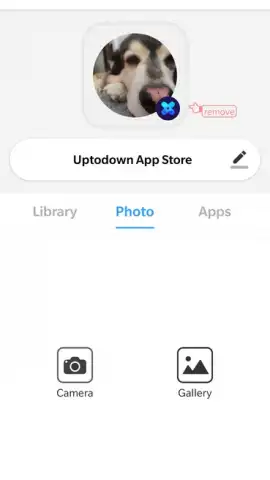
The core mechanics of X Icon Changer are built around substitution and asset management. The application operates by creating custom shortcuts on your home screen that overlay your existing apps, allowing for a complete visual transformation without requiring root access. Its primary function is to replace the stock icon of any installed application with an image of your choosing. This can be sourced directly from your device's gallery, enabling the use of personal photographs, downloaded graphics, or specially designed artwork. A practical example would be setting a photo of your pet as the icon for your messaging app, or using a distinct, minimalist symbol for your banking application to make it instantly recognizable.
Beyond simple image replacement, the app includes a suite of ancillary editing tools. Each selected image can be precisely cropped and framed within a variety of mask shapes to ensure a polished, integrated look with your home screen's theme. Furthermore, X Icon Changer provides the option to rename the application shortcut, allowing you to alter the text label displayed beneath the icon for even greater personalization or organizational clarity. A notable feature is the icon swap function, which lets you exchange the icons between two applications with a single action, a useful tool for thematic grouping or visual consistency. The application also employs a proactive notification system, prompting you to customize the icon whenever a new app is installed, streamlining the process of maintaining a uniformly personalized interface.
- Granular Gallery Integration: Directly select any image from your photo library to serve as a fully custom app icon, enabling deeply personal or thematic designs.
- Comprehensive Label and Icon Control: Independently change both the visual icon and the textual name of any application shortcut on your home screen.
- Proactive Customization Assistant: Receive automatic prompts to set a custom icon whenever a new application is installed on your device.
This is not a limited trial. Secure the full, ad-free customization experience and transform your device's identity immediately. Download mobile app now!
This application requires an internet connection for initial functionality and may offer optional in-app purchases. The custom icons are applied via home screen shortcuts; the original icons remain in the system app drawer.
 GooglePlay


