

Xodo PDF Reader & Editor
Xodo PDF Reader & Editor screenshots (8)

Description Xodo PDF Reader & Editor
Ever feel like managing PDFs on your phone is a clunky, frustrating chore? What if you could carry a powerful, desktop-grade PDF suite right in your pocket, ready to turn any document into a collaborative, editable masterpiece in seconds? Welcome to Xodo PDF Reader & Editor, your all-in-one solution for viewing, annotating, signing, and editing PDFs from anywhere, transforming your mobile device into a serious productivity hub.
Your Pocket-Sized PDF Powerhouse
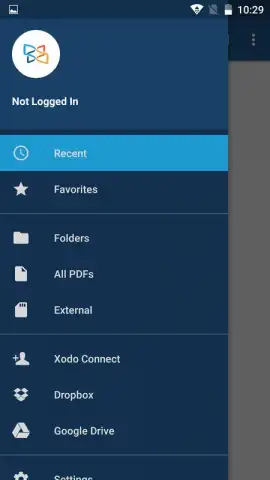
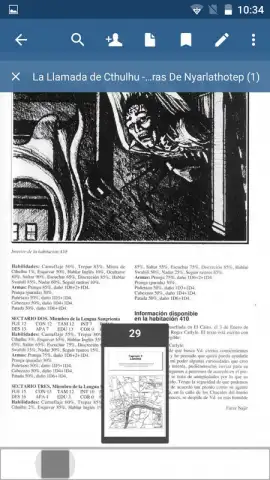
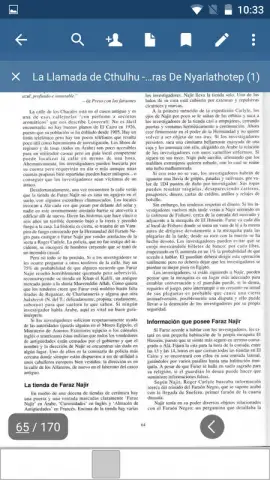
Imagine opening any PDF and instantly having every tool you need at your fingertips. Xodo delivers a seamless, intuitive experience that feels both powerful and surprisingly simple. You’ll navigate through documents with smooth precision, effortlessly zooming in on details or flipping through pages like a pro. The interface stays elegantly out of your way, putting the focus squarely on your content, so you can work faster and with far less distraction. You’ll appreciate how it seamlessly integrates with the cloud services you already use, like Google Drive and Dropbox, keeping all your documents synchronized and accessible across every device without a second thought.
Dive into the rich annotation tools and you’ll feel the true power. You’re not just adding a simple highlight; you’re engaging with the text. Draw attention to critical points with custom shapes, arrows, and freehand drawings directly onto any page. Add typed comments, sticky notes, or even your handwritten signature with a few quick taps, making review cycles and approvals a breeze. Made a mark in the wrong spot? A simple undo action lets you correct mistakes instantly, giving you the confidence to annotate freely.
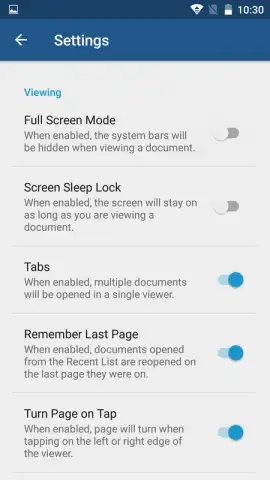
The viewing experience is fully customizable to your environment and preferences. With a single tap, you’ll switch between a crisp, clear day mode for bright offices and a soothing, eye-friendly night mode for late-night reading sessions. You’ll love the ability to pin your most important pages to favorites for lightning-fast access later, and the multi-tab support lets you juggle several documents at once, just like on your computer, boosting your multitasking efficiency to new heights.
Core Features You’ll Use Every Day
- Annotate & Markup with Precision: Highlight text, add comments, draw shapes, and insert arrows directly onto any PDF page for clear, collaborative feedback.
- Sign & Fill Forms Instantly: Securely sign any document or fill out interactive PDF forms using your finger or a stylus, eliminating the need for printing and scanning.
- Smart Viewing & Organization: Switch between day/night modes, save favorite pages, and open multiple documents in tabs for a superior, organized reading workflow.
Stop compromising with basic PDF viewers that slow you down. Transform how you handle documents on the go with the professional toolkit trusted by millions. Get the complete Xodo PDF Reader & Editor experience now and feel the difference immediately!
Download Xodo PDF Reader & Editor now!
Internet required. IAP available.
 GooglePlay


