

Xposed Installer
Xposed Installer screenshots (6)

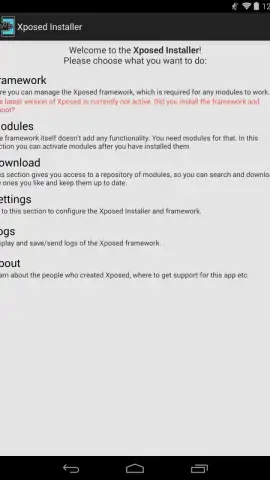
Description Xposed Installer
A Tool for System-Level Customization
The pursuit of complete control over an Android device often leads users to consider custom ROMs, a process that can be complex and carries inherent risks of instability. Xposed Installer presents an alternative methodology for system modification, operating through a framework that applies changes in real-time without altering the core system partition. This approach allows for granular adjustments to the operating system's behavior and appearance, modifications that are designed to persist across device reboots. It is engineered for users seeking to unlock advanced functionality and personalize their experience beyond standard manufacturer or OS limitations.
Operational Mechanics and Feature Set
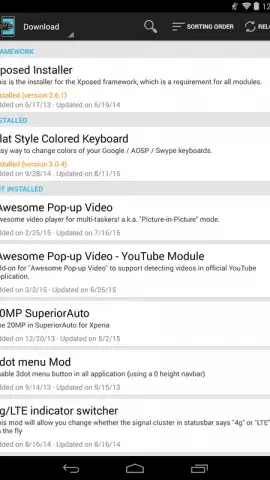
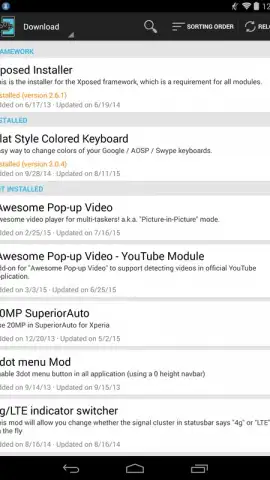
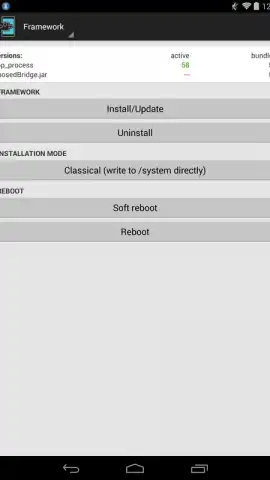
The application functions as a management hub for the Xposed Framework. After the initial framework installation and a mandatory device reboot, the installer provides access to a repository of modules. These modules are discrete packages, each designed to modify a specific aspect of the system or an application. The interface catalogs these options, often numbering over one hundred, with descriptive titles outlining their purpose. The scope of modifications is broad, ranging from visual tweaks to significant functional overhauls, enabling a high degree of customization without replacing the entire operating system.
A critical operational note is that while the framework is stable, its power necessitates cautious use. Incorrect module configurations or conflicts can lead to system instability, potentially requiring a device reset. The process demands that users follow on-screen instructions precisely and research modules before activation. The application itself is distributed without advertising, and certain versions or modules may include performance optimization features, sometimes referred to in community parlance as "Turbo" modes, aimed at streamlining the framework's operation.
Core Functional Advantages
- Modular System Tweaks: Implements changes via downloadable modules, allowing for targeted customization of system aesthetics and application permissions without a full OS flash.
- Persistent Runtime Modifications: Applies tweaks at a framework level, ensuring alterations remain active after a device restart, unlike temporary root solutions.
- Centralized Management Hub: Provides a unified interface to browse, install, and manage all Xposed modules, offering descriptions for over one hundred distinct customization options.
The utility of Xposed Installer is most apparent for advanced users aiming to tailor device behavior, block specific permissions for installed apps, or alter system visuals. It effectively delivers many benefits associated with custom ROMs—such as deep system access and personalization—while theoretically mitigating some risks by avoiding direct partition writes, though significant responsibility remains with the user for module management.
Gain unprecedented control over your Android experience. This is a limited-access tool for advanced users—install Xposed Installer now to unlock system-level customization today.
Disclaimer: This application requires an internet connection for module downloads and framework updates. Use of the Xposed Framework involves system-level modifications that can affect device stability; proceed with caution and at your own risk. The developer is not responsible for any device instability or data loss.


