

YouTube Kids
YouTube Kids screenshots (7)

Description YouTube Kids
A Controlled Gateway to Digital Content for Young Minds
The challenge of managing a child's screen time is compounded by the vast, unregulated nature of most video platforms. Parents seek a solution that offers the breadth of content children enjoy without exposing them to inappropriate material or relinquishing all control over viewing habits. YouTube Kids addresses this directly by functioning as a curated, walled-garden version of the main YouTube service, applying stringent automated filters and robust parental tools to create a safer viewing environment.
Detailed Analysis of Core Functionality and Parental Oversight
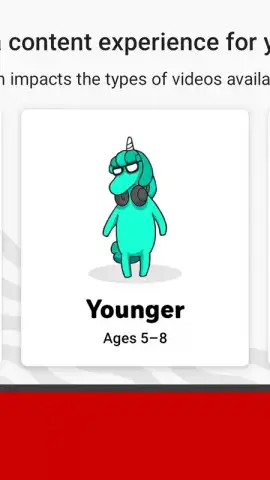
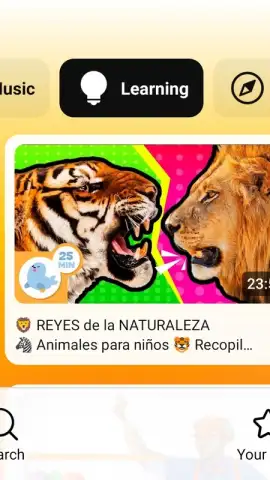
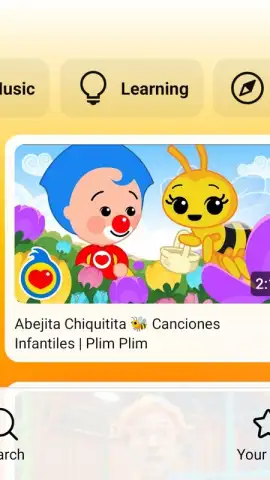
The application operates by sifting through the broader YouTube catalogue to isolate content deemed suitable for younger audiences. This is not merely a basic filter; it employs a multi-layered system combining automated analysis, human review, and partner-verified channels to populate its library. The interface is simplified with larger touch targets, verbal search capabilities, and bright, engaging visuals tailored for easier navigation by younger children. Crucially, the experience is segmented by broad age brackets—Preschool, Younger, and Older—which adjusts the complexity of content and interface presented, ensuring a more age-appropriate experience as the child grows.
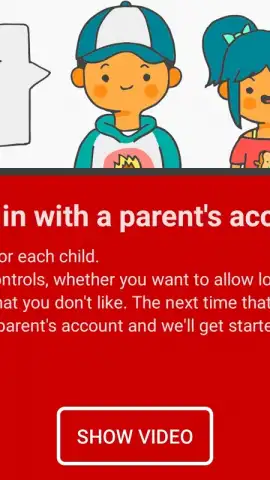
Parental control is the cornerstone of the application's design. Upon setup, a parent configures the initial experience via a separate authentication process. The most significant feature is the ability to whitelist content manually, shifting the platform from an algorithmically-curated feed to a fully parent-approved catalogue where children can only watch videos, channels, or collections explicitly permitted by the administrator. Furthermore, the integrated timer function allows parents to set a strict viewing limit per child profile; once the session expires, the app requires a parent's passcode to resume, enforcing digital boundaries effectively. The management of these settings is conducted remotely via a linked parent account, allowing for adjustments without needing physical access to the child's device.
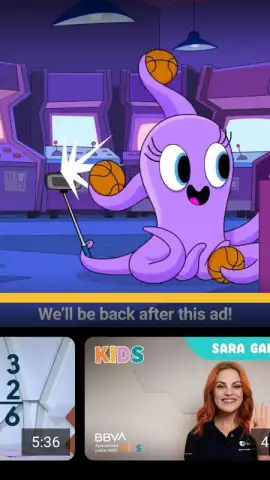
The profile system enables a personalized experience for up to eight individual children under one family account. Each profile maintains its own viewing history, recommendations, and settings. This prevents a younger child's interactions from influencing the content suggested for an older sibling. While the core service is free, it is supported by advertising. However, these ads are vetted to comply with the platform's child-friendly policies, prohibiting certain categories of products and requiring a non-manipulative presentation. For a subscription fee, YouTube Premium (which includes YouTube Kids) removes all advertising entirely and enables background play and downloads, a feature some families may find valuable for travel or connectivity-limited scenarios.
- Curated Content Library & Age Gating: Accesses a filtered subset of YouTube videos, categorized into Preschool, Younger, and Older age groups to tailor content complexity and themes appropriately.
- Granular Parental Approval System: Offers a toggle to disable algorithmic recommendations entirely, restricting viewing strictly to channels or videos individually approved by a parent.
- Mandatory Session Timer & Multi-Profile Support: Enforces daily screen time limits per child profile with a hard lock-out and supports up to eight distinct, personalized child profiles under one account.
This platform represents a critical tool for modern parenting, providing a compromise between unrestricted access and complete prohibition. It delivers the engaging, vast video content children desire within a framework that prioritizes safety and parental authority. The combination of automated filtering and granular manual controls allows for a customizable level of oversight that can adapt to a family's specific values and a child's maturity.
Download the YouTube Kids mobile app now! Take immediate control of your child's digital viewing environment and stop worrying about unsuitable content. Install it on your device today and configure a safer space for entertainment and learning.
Disclaimer: This application requires a persistent internet connection for full functionality. It may contain advertising; ad-free viewing requires a separate YouTube Premium subscription. The app collects and uses data as outlined in Google's Privacy Policy. Parental setup is required to configure safety settings. Content is filtered but not guaranteed to be 100% appropriate at all times; parental supervision is still advised. The service and its features are subject to change.
 GooglePlay


