

ZXReader
ZXReader screenshots (3)
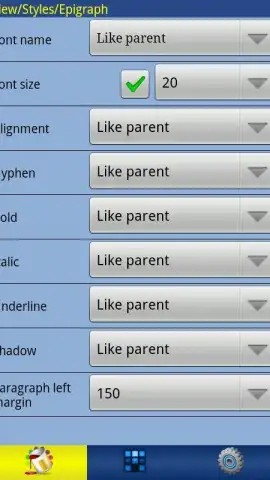


Description ZXReader
A Comprehensive Reading Engine for Android, Engineered for Format Flexibility and Deep Customization
ZXReader operates as a core utility for managing and consuming digital text on Android, built upon a foundation of extensive file compatibility. It processes a direct range of document formats including TXT, FB2, EPUB, DOCX, and HTML, and can automatically unpack and access these files from within ZIP archives. This technical capability is extended through integrated OPDS client support, enabling structured browsing and direct downloads from a vast network of online catalogs and digital libraries. The application handles text encoding comprehensively, with automatic detection and manual selection for standards like UTF-8, Unicode, Win-1251, and KOI8-R, ensuring correct character rendering across multiple languages and alphabets without manual file preprocessing.
The reading interface is built for adaptability, featuring dynamic orientation switching that responds to device rotation, with a user-lockable override to enforce portrait or landscape mode. A full-screen immersion mode removes all system interface elements for undistracted focus. Navigation is facilitated through multiple methods: direct page turns, a scrollbar, a structured table of contents parser for supported formats, and a precise percentage-based jump function. The customization system is granular, allowing for independent adjustment of font families—including the import of custom TTF files—font size, text color, background color, and the application of background images. The engine also renders embedded graphics and illustrations within documents, maintaining the visual layout of complex files.
User comfort is addressed through a dedicated backlight management system. This provides independent control over screen brightness and timeout duration, with the ability to set values below the Android system's minimum threshold for low-light reading. Interactive screen zones can be defined, where tapping or swiping in specific areas of the display triggers assigned commands for turning pages, adjusting brightness, or opening the menu. The system supports the creation and switching between multiple visual profiles, allowing users to save and instantly apply distinct combinations of typography, color, and navigation settings for different reading contexts or document types.
Core Functionality Overview
- Multi-Format Document Support: Opens TXT, FB2, EPUB, DOCX, HTML files and reads them directly from ZIP archives without manual extraction.
- Advanced Text and Display Control: Imports custom TTF fonts and provides granular settings for text color, size, spacing, and background images.
- Comprehensive Reading Management: Features OPDS online catalog browsing, configurable touch zones, and multiple saved visual profiles for different scenarios.
Claim your personalized reading experience and access your entire digital library without constraints. Download ZXReader now to configure your ultimate reading environment.
This application requires an internet connection for accessing online OPDS catalogs. The app may contain in-app purchases.


