

aps3e
aps3e screenshots (10)


Description aps3e
A Functional PlayStation 3 Emulator for Android is Now a Reality
The aps3e application represents a significant technical achievement, bringing a working PlayStation 3 emulation environment to Android devices. Developed by aenu, this project ports the core technology of the renowned PC-based RPCS3 emulator to the ARM architecture that powers modern smartphones and tablets. This transition means that a vast library of PS3 titles, previously confined to consoles and high-end computers, can now be accessed directly from a mobile device. The emulator operates by meticulously translating the complex Cell Broadband Engine architecture of the PS3 into instructions an Android processor can execute, a process demanding substantial hardware resources. For enthusiasts and gamers, this eliminates the intermediary need for a PC, placing a console-grade gaming experience directly in the palm of your hand.
Core Technical Specifications and Setup Process
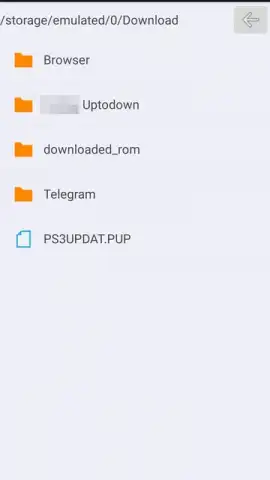
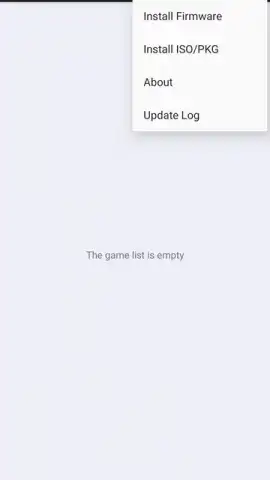
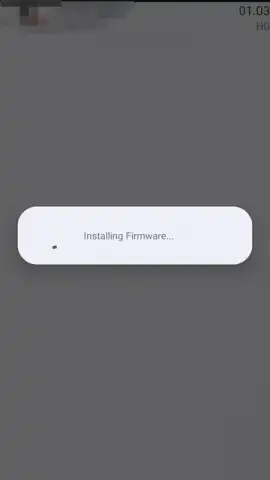
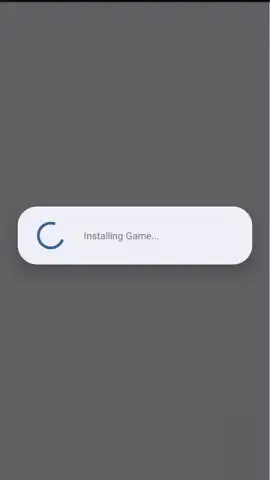
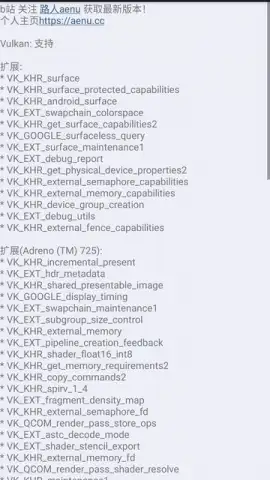
To function, aps3e requires specific hardware foundations. Your device must be running Android 7.0 or higher and, critically, must feature an arm64-v8a CPU architecture. Furthermore, GPU support for the Vulkan graphics API is mandatory, as this low-overhead API is utilized by the emulator for optimal graphical rendering and performance. Device age is a key factor; newer smartphones with top-tier processors like the latest Snapdragon 8 series or Dimensity chips will handle the intense computational load of emulation far more effectively. The initial setup involves installing the official PS3 system firmware file (PS3UPDAT.PUP) directly within the app's interface, followed by adding your legally owned game dumps in either ISO or PKG file formats. It's important to note that initial game loads can be lengthy, as the emulator performs necessary shader compilation and asset caching, which typically results in smoother subsequent play sessions.
In-Depth Feature Analysis
- Native ARM Architecture Optimization: Engineered specifically for Android's ARM-based systems, ensuring more efficient CPU instruction translation compared to generic porting attempts.
- Dual Input Method Support: Offers full compatibility with Bluetooth gamepads for a traditional feel, alongside a fully customizable on-screen touch control overlay mimicking the DualShock 3 layout.
- Advanced Graphics Backend: Leverages the Vulkan API for superior graphical fidelity and potential performance gains over older APIs like OpenGL ES.
- Clutter-Free User Experience: The application interface is designed without intrusive advertising, focusing user attention solely on game library management and emulator settings.
- Persistent Game Library Management: Once installed, games are cataloged within an intuitive internal menu, allowing for quick resumption of play without repeated file navigation.
Comprehensive Gameplay and Control Mechanics
Control is a cornerstone of the experience. When using a connected Bluetooth controller, input mapping is typically automatic, providing a lag-responsive experience akin to native console play. The on-screen virtual controls are comprehensive, replicating all DualShock 3 inputs including face buttons, shoulder triggers (L1/R1, L2/R2), dual analog sticks, the directional pad, and dedicated Select/Start buttons. These virtual buttons are positioned for ergonomic thumb placement and can often be adjusted for transparency and size. The emulator provides save state functionality, allowing you to save and load your progress at any exact moment, a feature that goes beyond the original console's checkpoint system. Performance varies significantly between titles, with some games running at full speed and others exhibiting frame rate dips or graphical artifacts, reflecting the ongoing development nature of the project.
Direct Download Recommendation and Considerations
We suggest trying aps3e if you are a technical enthusiast interested in the frontiers of mobile emulation and have a modern, high-performance Android device. It provides a fascinating window into running console-exclusive software on portable hardware.
Download game now to begin testing your device's capabilities with PlayStation 3 emulation.
Heads up: you'll need wifi for most features. Some cool stuff is extra. A powerful modern smartphone with a robust cooling system is highly recommended for the best experience. Game compatibility and performance are not guaranteed for all titles.
 GooglePlay


