

Dolphin Emulator
Dolphin Emulator screenshots (10)

Description Dolphin Emulator
What if you could carry the entire Nintendo GameCube and Wii library in your pocket, with visuals that surpass the original consoles?
Dolphin Emulator for Android is a comprehensive, open-source project that translates the hardware architecture of the Nintendo GameCube and Wii to modern mobile devices. This is not a simple port; it is a feature-complete emulation suite that mirrors the capabilities of its desktop counterparts for Windows, Linux, and Mac. The core function is to allow users to run a vast majority of titles from these two console generations directly on their Android phones or tablets, transforming them into portable powerhouses for classic gaming. The emulator is entirely free, supported by a dedicated development community, and places an unprecedented level of control over the gaming experience directly into the user's hands.
A Technical Analysis of Performance and Customization
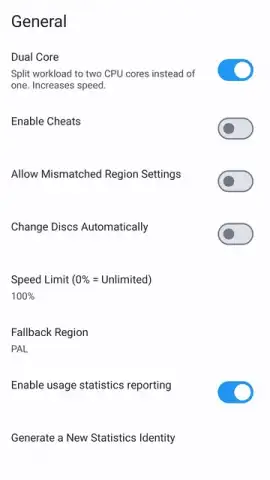
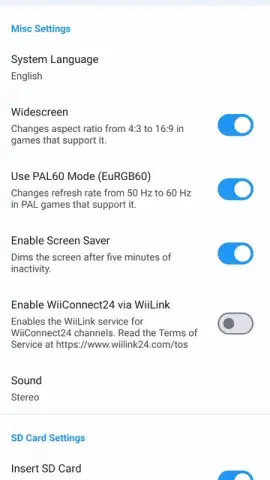
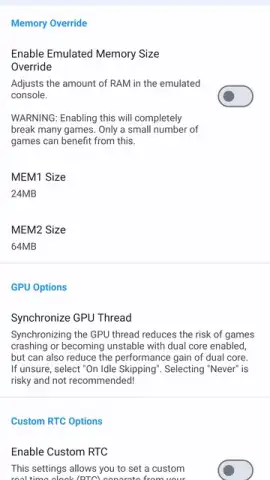
The most significant technical achievement of Dolphin Emulator is its extensive graphical enhancement suite. Where original consoles were locked to standard definition outputs, this emulator decouples rendering resolution from game logic. Users can configure internal resolutions scaling from 720p up to 4K, depending entirely on their device's display and GPU capabilities. This means game textures and polygons are rendered at a much higher fidelity before being displayed. Beyond resolution, the emulator provides a detailed settings panel for advanced graphical features, including anti-aliasing for smoother edges, anisotropic filtering for improved texture clarity at angles, post-processing shader effects, and V-Sync synchronization to prevent screen tearing. The visual result is that games can not only be preserved as they were but actively enhanced to meet modern display standards, with cleaner image quality and more stable performance than the original hardware often provided.
Performance is inherently tied to the host Android device's specifications. On flagship-tier smartphones and tablets with powerful chipsets, users can expect to run most titles at high resolutions with full speed. However, the emulator is notably scalable. On mid-range hardware, a practical approach involves lowering the rendering resolution, disabling some of the more demanding post-processing effects, and utilizing performance-oriented backend settings like Vulkan or OpenGL ES. This scalability ensures that a broad spectrum of devices can participate, albeit with a visual quality that corresponds to its processing power. The setup process for these graphical parameters is granular and can be time-consuming to optimize for each specific game, but this depth is what allows for compatibility across such a wide hardware ecosystem.
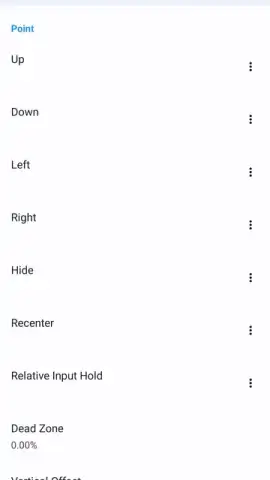
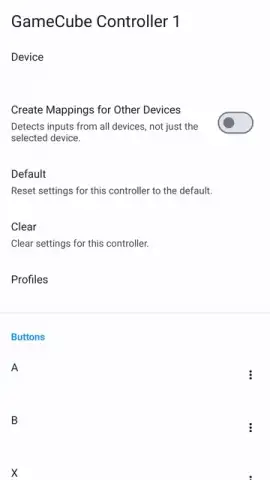
Control configuration is equally flexible. The emulator supports native mapping for a wide array of physical controllers, including Bluetooth models from Xbox and PlayStation, effectively providing a traditional console feel for GameCube titles and Wii games that support the Classic Controller. For games designed around the Wii Remote's motion controls, the emulator implements a sophisticated touchscreen overlay system. This translates gestures like pointing, swinging, and tilting into touch and motion inputs from the device itself, making titles that once required a sensor bar fully playable in a portable context. Each control scheme is fully customizable, allowing users to adjust sensitivity, button placement, and dead zones.
A standout feature that moves beyond mere emulation is the integrated Netplay functionality. This system enables low-latency online multiplayer for games that were originally designed for local couch competition. By synchronizing emulator states over the internet, players can connect with friends to enjoy titles like Mario Kart Wii or Super Smash Bros. Melee online. The requirements are specific: all participants must have an identical version of the Dolphin Emulator, the same game file (ROM), and a stable broadband connection. When these conditions are met, it effectively creates a private, online console session, resurrecting multiplayer experiences that were previously confined to a single living room.
The project's longevity and reliability are underpinned by its active development cycle. Since its initial release, the emulator has received near-continuous updates that refine compatibility, boost performance, and squash bugs. If a particular game exhibits graphical glitches or instability in one release, a subsequent update frequently addresses these issues. This ongoing development, combined with the existence of legally available homebrew ROMs and public domain demos, means the platform is both stable for current use and evolving for the future. It represents not just a static tool, but a living ecosystem for preserving and enhancing a specific era of gaming history.
- High-Definition Rendering: Scale game visuals from native resolution up to 4K with anti-aliasing and texture filtering.
- Extensive Hardware Control: Fully customize graphics settings, control schemes, and audio output for each game.
- Broad Controller Support: Seamlessly use Bluetooth gamepads from Xbox, PlayStation, or other manufacturers.
- Online Multiplayer (Netplay): Play local multiplayer games online with friends through synchronized emulation.
- Active Development & Scalability: Benefit from frequent updates for stability and performance across device tiers.
Download Dolphin Emulator now to unlock this legendary game library. This is a limited-time opportunity to access the definitive emulation experience directly on your device—exclusive access for the first users to install today.
Internet required. IAP available.
 GooglePlay


