

Game Booster
Game Booster screenshots (5)



Description Game Booster
Your Phone is Slowing Down. Here’s the Technical Reason Why.
Modern mobile games and applications are engineered for rich, immersive experiences, but this comes at a significant performance cost. With every session, temporary cache data accumulates silently in the background. This isn't merely clutter; it's active memory fragmentation that forces your device's processor and RAM to work harder to access necessary files. The result is a gradual, measurable degradation in system responsiveness: longer app load times, noticeable frame rate drops during critical gameplay moments, and increased battery drain as components strain under inefficient data management. Manually closing background apps or performing full data wipes are temporary, disruptive fixes for a persistent technical problem. Game Booster approaches this not as a simple cleaner, but as a targeted performance utility designed to intervene at the point of launch, optimizing conditions before the application even fully initializes.
A Precision Tool for Application Management
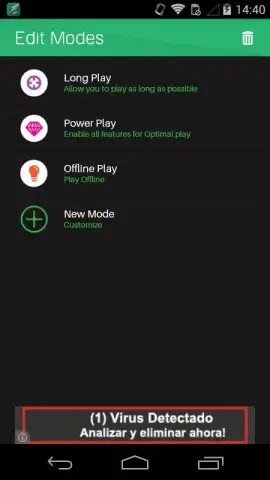
The core functionality of Game Booster is its pre-launch optimization engine. Selecting an app from within its interface initiates a automated, two-stage process. First, it performs a targeted clearance of that specific application's residual cache files, freeing up allocated memory. Second, it launches the app within a controlled performance environment you define. This methodology ensures optimal resources are dedicated from the very first moment, reducing initial stutter and improving stability. The utility's sophistication is demonstrated through its three dedicated operational modes, each governing system resource allocation differently. Battery Saver Mode prioritizes power efficiency by subtly limiting background processes and peak CPU frequencies. Best Performance Mode aggressively reallocates system resources to the foreground app, directly addressing load speed and in-game latency. Offline Mode functions as a network firewall, automatically disabling mobile data and Wi-Fi for the selected app to conserve data traffic and prevent background updates from interrupting gameplay.
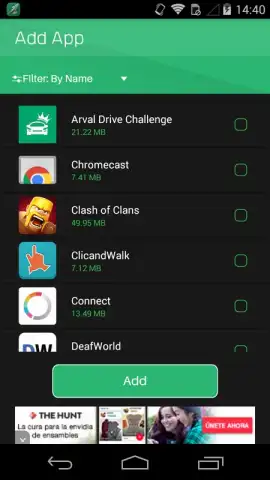
The application supports advanced profile creation for users with extensive app libraries. You can curate custom lists, assigning a specific launch mode—Battery Saver, Best Performance, or Offline—to each application individually. This transforms the tool from a universal booster into a granular management system, allowing you to configure resource-hungry games for maximum speed while setting social media or reading apps to launch in a power-efficient state. While engineered with the extreme demands of mobile gaming in mind, this profiling makes it equally effective for any daily-use application where speed and efficiency are valued.
- Targeted Pre-Launch Optimization: Executes automatic cache clearance for a selected app immediately before launch, ensuring it starts with maximum available memory.
- Three Configurable Performance Modes: Choose between Battery Saver, Best Performance, or Offline modes to control CPU, data, and power usage per application.
- Custom Application Profile Management: Build and save personalized lists to assign specific launch modes to different apps, enabling automated, granular system control.
Don't wait for the next game update to bring your device to a halt. Take proactive control of your system's performance today. Download Game Booster now and experience the immediate difference a technically precise tool can make. Get it immediately!
Disclaimer: This application requires an internet connection for initial download and potential updates. It may request permissions necessary to clear application cache and manage other apps. Use of this tool may affect the behavior of other applications. Please be aware of your mobile data plan when using features that manage connectivity. This is a utility application and does not contain in-app purchases.


