
GameHub
GameHub screenshots (8)


Description GameHub
Your PC Gaming Library, Unleashed on Android
Imagine your entire PC gaming collection, from sprawling RPGs to competitive shooters, instantly available on your Android phone or tablet. No more being tied to your desk. GameHub transforms your mobile device into a versatile gaming portal, offering multiple technical pathways to play your favorite titles wherever you have a screen. Whether you prefer native emulation, cloud streaming, or direct PC remote play, this application provides the tools and connectivity to redefine your gaming mobility.
Three Distinct Technical Pathways to Play
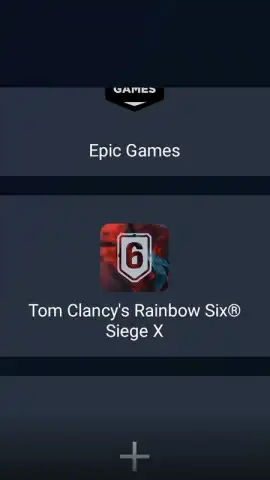
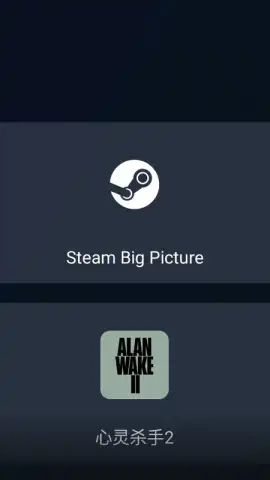
GameHub delivers flexibility through three core technical methods, all supporting Steam account synchronization for seamless library access. First, utilize the integrated emulator to run compatible games natively directly on your Android device, processing the game locally for minimal latency. Second, leverage the cloud streaming services provided by GameSir, offloading hardware demands to remote servers. Third, employ remote access to stream games directly from your own Windows PC using the PC Link function, which typically offers the highest visual fidelity but requires a robust local network. For this, you must install the companion GameHub Manager software on your Windows PC. Additionally, you can sync a PlayStation account to enable the PS Link feature for streaming from that console. Optimal streaming performance for both PC and cloud methods demands a stable, high-speed internet connection with proximity to your Wi-Fi router.
Premium, Ad-Free Experience with Turbo Enhancements
The application operates without disruptive advertisements, providing an uninterrupted gaming interface. Enhanced performance and potential features are unlocked through the Turbo system, ensuring a smooth and focused user experience from launch to gameplay session conclusion.
Extensive Hardware Compatibility and Precision Control
While GameHub displays a customizable on-screen touch control overlay, it fully supports external peripherals for a superior tactile experience. You can pair Bluetooth or USB-connected keyboards, mice, and most popular game controllers for precise input. Controllers developed by GameSir, the app's creator, offer plug-and-play compatibility with GameHub, requiring zero additional configuration for immediate use and optimal button mapping.
Built-In Capture Studio and Cloud Clip Management
The integrated instant recording and editing suite allows you to capture high-quality video of your gameplay moments directly within the app. A single tap initiates recording, with tools to trim, edit, and share your clips to social platforms in seconds. All recorded videos are automatically backed up to secure cloud storage, guaranteeing your clips are saved and accessible from any device for later viewing, sharing, or downloading.
- Multi-Method Play: Choose between native device emulation, GameSir cloud streaming, or remote PC/PlayStation access.
- Full Steam Integration: Synchronize your Steam account to access and launch your library across all play modes.
- Companion PC Software: Utilize the GameHub Manager on Windows for low-latency PC-to-mobile streaming.
- Advanced Peripheral Support: Connect Bluetooth/USB gamepads, keyboards, and mice for console-like control.
- Integrated Video Suite: Record, edit, and share gameplay clips directly with cloud backup for clip preservation.
We suggest trying GameHub to experience the ultimate fusion of your PC gaming library and Android portability—download now to begin your mobile gaming evolution.
Internet connection required for streaming features and cloud services. In-app purchases available.
 GooglePlay


