

HyperTerm
HyperTerm screenshots (4)
Description HyperTerm
Imagine needing a full Linux terminal, with its power and precision, directly on your Android device. Not a simplified shell, but a complete, responsive environment where you can execute commands, manage servers, and run scripts from anywhere. HyperTerm delivers this experience, merging the fluid performance of a modern Android interface with the robust capabilities of a genuine Linux distribution under the hood.
Core Technical Capabilities
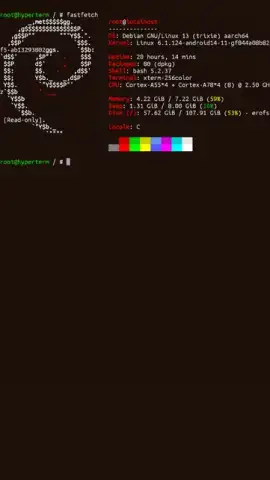
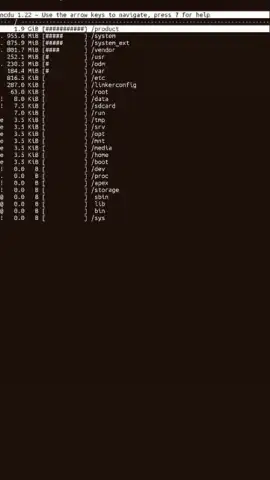
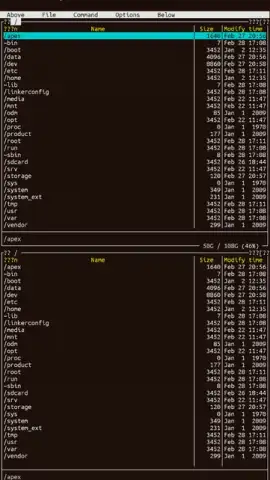
HyperTerm functions as a high-performance terminal emulator, creating a seamless bridge between your mobile device and a comprehensive Linux workspace. The application utilizes the Jetpack Compose framework to ensure a smooth, adaptive user interface that operates at your device's native refresh rate. This technical foundation eliminates input lag and visual stuttering, providing a desktop-class terminal interaction. The environment is powered by a proot-isolated Debian installation, which requires no root access and deploys a ready-to-use system with core tools pre-configured for immediate productivity.
Detailed Feature Overview
The application provides specific functionalities for development, administration, and learning workflows.
- High-Frame-Rate Terminal Engine: The terminal renderer operates at up to 120 frames per second, synchronizing with your display's refresh rate. This ensures crisp, instantaneous text output and cursor response during all operations, from basic file navigation to compiling code.
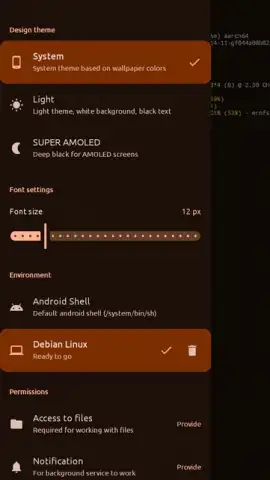
- Dynamic Material 3 Theming: The interface automatically adapts its color palette to match your system's wallpaper theme. A dedicated AMOLED theme provides a true black background to reduce power consumption on compatible displays while maintaining optimal text contrast for extended coding sessions.
- One-Tap Debian Deployment: A complete Debian Linux user space is installed in minutes without special permissions. This isolated environment includes the APT package manager, Bash shell, and SSH client, granting access to thousands of standard Linux packages and utilities for a wide range of tasks.
Primary Use Cases
- Establishing secure SSH connections to remote servers for system administration.
- Executing Python, Bash, or Node.js scripts and CLI tools directly on your device.
- Learning Linux command-line operations and package management without a PC or virtual machine.
Download HyperTerm now and transform your Android device into a portable Linux workstation. Get it immediately!
Note: An internet connection is required for initial environment setup and package management. The app may contain in-app purchases for advanced features.


