

PojavLauncher (Minecraft: Java Edition)
PojavLauncher (Minecraft: Java Edition) screenshots (8)
Description PojavLauncher (Minecraft: Java Edition)
The Problem with Mobile Minecraft: Limited Access to the True Java Edition
For years, Android users seeking the authentic, moddable, and server-rich experience of Minecraft: Java Edition faced a significant barrier: the official game was not available on the platform. While Bedrock Edition exists, it operates on a separate codebase, creating compatibility walls for those invested in the original Java ecosystem, from specific modpacks to private servers. PojavLauncher directly addresses this gap. It is an open-source application that functions as a compatibility layer, enabling the execution of the desktop Java Edition client on Android devices. The project continues the work of the now-discontinued Boardwalk application, providing a maintained and updated solution for running the genuine Minecraft Java client on mobile hardware.
Core Functionality and Setup Process
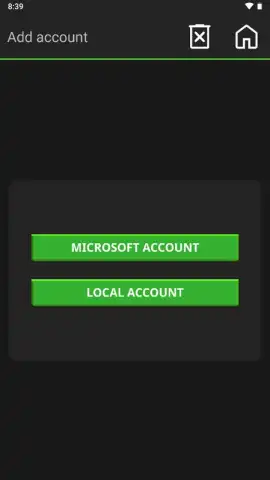
The primary operation of PojavLauncher is to translate the x86/ARM instructions of the official Minecraft Java launcher to be compatible with Android's architecture. Setup is streamlined for immediate access. Upon launching the app and selecting "Play," users are presented with two authentication paths: Microsoft Account or Local Account. The Microsoft Account option is necessary for joining online servers or Realms that require a licensed, online-capable account. The Local Account option provides offline access for single-player worlds or local network play, requiring only a chosen username. Post-authentication, the game typically initializes within seconds, directly launching into the familiar Minecraft Java Edition main menu.
Detailed Configuration and Control Customization
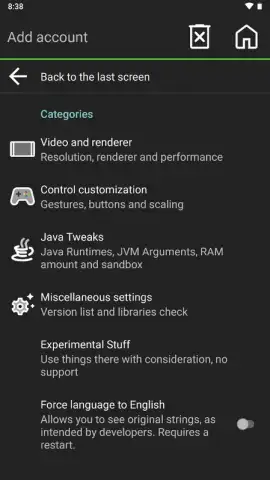
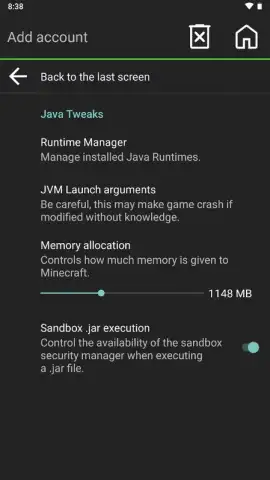
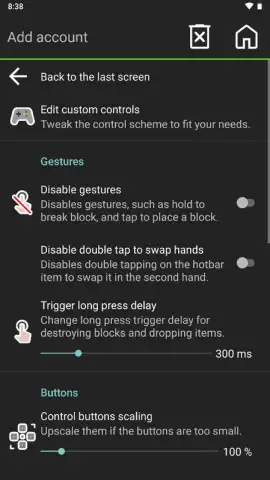
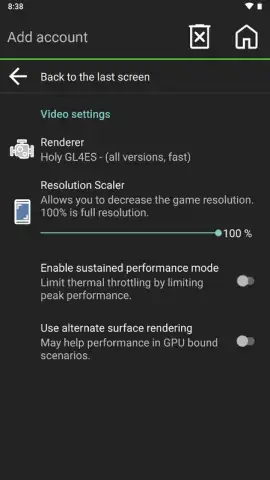
A key strength of PojavLauncher is its granular control over the game environment, accessible via the configuration menu in the upper-right corner. Users are not confined to default mobile presets. The video settings panel allows for adjustment of render resolution, which directly impacts performance and visual clarity on various device screens. The Java arguments section permits manual allocation of RAM, with a default of 1148 MB that can be increased on devices with more available memory to enhance stability for heavier modpacks. An experimental options tab includes performance tweaks, such as renderer adjustments, to optimize frame rates. Furthermore, the input settings offer comprehensive customization for on-screen touch controls, including sensitivity, button size, and layout, alongside native support for Bluetooth game controllers, effectively transforming a mobile device into a portable Java Edition workstation.
Version Flexibility and Modding Foundation
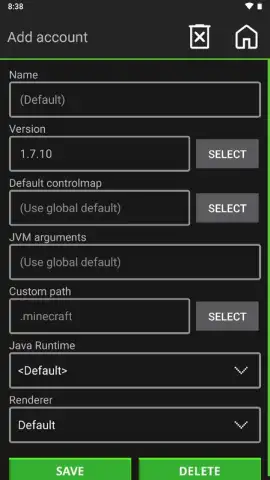
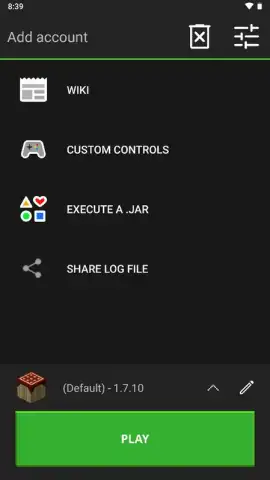
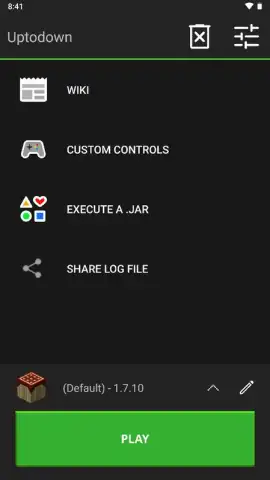
PojavLauncher does not lock users into a single version of Minecraft. Its architecture supports launching a wide spectrum of Java Edition versions, from the earliest public alpha (rd-132211) to modern snapshots and full releases. By default, it may launch a stable version like 1.7.10, but users can manage and switch between versions via the launcher's interface. For advanced use cases, such as running custom modpacks or specific server clients, the application features a "Launch .JAR" function. This allows users to execute any valid Minecraft Java Edition .jar file stored on their device, providing the foundational capability required for modded gameplay. This makes it possible to enjoy niche versions, legacy mods, or specific server clients that are exclusive to the Java platform, all from an Android device.
- Open-source Java Edition launcher for Android
- Full version support from alpha to latest
- Granular performance and control settings
- Native support for mods and custom JARs
Download PojavLauncher (Minecraft: Java Edition) Now
This is not an emulator or a clone—it is direct access to the Minecraft: Java Edition ecosystem on mobile. For players invested in specific servers, modpacks, or the precise mechanics of the Java version, this application removes the platform barrier. Download today to secure immediate access; this essential tool bridges the gap between desktop and mobile gaming for one of the world's most popular titles.
Disclaimer: This application requires a legitimate copy of Minecraft: Java Edition from Mojang/Microsoft for full online functionality. A persistent internet connection is recommended for account authentication, downloading game files, and online multiplayer. The app may access device storage for game files and configurations. This is a third-party launcher tool and is not officially affiliated with Mojang Studios or Microsoft. Users are responsible for ensuring their device meets the performance requirements for running Java Edition. Some configurations or mods may impact device performance or stability.


