

Steamlator
Steamlator screenshots (8)
Description Steamlator
Your Steam Library, Unleashed in Your Pocket
Imagine this: you're away from your desk, but a quest in your favorite PC game remains unfinished. The desire to jump back in is real, but your powerful gaming rig is miles away. What if your entire Steam library wasn't locked to a single machine? What if you could carry those worlds in your pocket, ready to launch from your Android phone or tablet? That’s the precise reality Steamlator builds for you. This powerful tool transforms your mobile device into a portable gateway for your Steam games, leveraging advanced compatibility layers to bring a significant slice of your PC gaming life to Android. It’s not about streaming from the cloud with lag or subscription fees; it’s about running the games directly on your device, putting you in direct control of your gaming session anytime, anywhere.
A Seamless Bridge from PC to Mobile
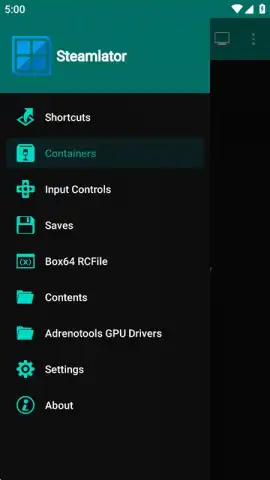
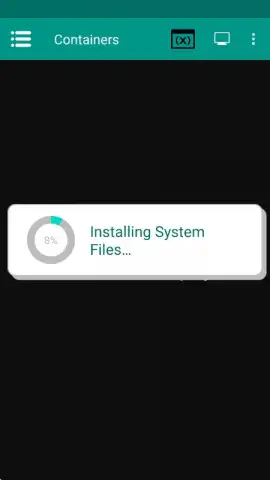
Steamlator functions as a specialized, pre-configured environment. Think of it as a self-contained digital workspace on your Android device, engineered specifically to run Windows-based software. At its core, it utilizes a modified foundation of Winlator, integrating the Steam client directly into the package so you can hit the ground running. The process begins the moment you launch the application. An automated installer takes over, deploying the Steam platform within its optimized container. Your only task is to wait for the setup to complete—a process lasting mere seconds or a few minutes, dictated solely by your internet connection speed. Once done, you select the newly created container, witness a brief virtual system restart, and the familiar Steam login window appears, as if it were running on a desktop.
Gaining access to your games is straightforward. You simply log into your personal Steam account. This step is crucial because Steamlator does not provide games; it provides the platform to access the titles you already own. Your entire library syncs, ready for installation and play. Performance, however, becomes a conversation between the game’s demands and your device’s capabilities. The smoothness of gameplay, frame rates, and graphical fidelity are directly tied to the horsepower of your specific Android smartphone or tablet. This means older or less demanding indie titles may run exceptionally well, while the latest AAA blockbusters will require top-tier hardware to be playable.
Tailor Your Experience for Peak Performance
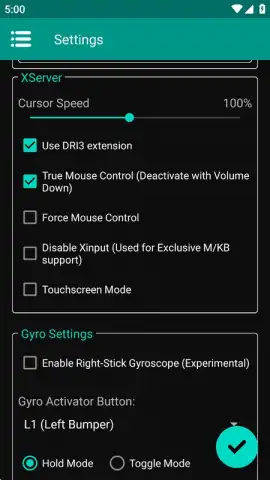
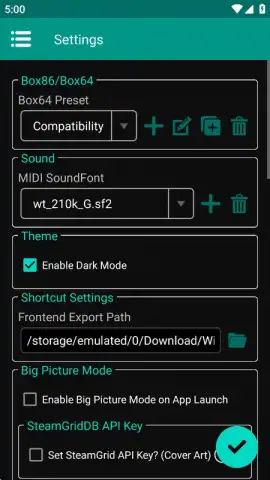
The true power of Steamlator lies in its deep customization, allowing you to fine-tune the experience to match your device and your game. When creating a new container, you are presented with a comprehensive dashboard of technical settings. You can define the screen resolution, select from multiple versions of the Wine compatibility layer, choose audio drivers, and configure DXVK for DirectX translation. You also have control over the version of Box64/Box86, the critical components that translate x86_64 instructions for the ARM architecture of your Android device. This array of variables means you can experiment and adjust to squeeze out every bit of performance, potentially turning an unplayable slideshow into a smooth adventure. For optimal configurations, a wealth of community guides and tutorials exists online, offering proven settings for specific popular games.
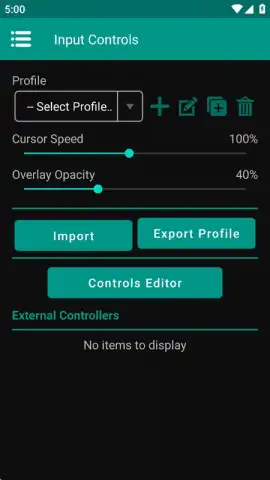
Interaction is just as customizable as the backend. You are not stuck with a one-size-fits-all control scheme. The configuration options allow you to adjust mouse sensitivity for precise cursor movement. More importantly, you can fully customize every on-screen touch control, repositioning buttons and adjusting their size to fit your playstyle and screen. Furthermore, by activating Steam’s Big Picture Mode within the container, you gain access to its robust controller configuration system. This lets you design a complete virtual gamepad layout, tailoring the touch controls to feel intuitive and responsive for each game you play.
- Direct Steam Integration: A pre-modified environment with the Steam client built directly into the APK, eliminating complex manual setup and getting you to your library faster.
- Full Library Access: Log into your existing Steam account to download, install, and play the games you already own, turning your Android device into a portable PC gaming station.
- Deep Performance Customization: Configure screen resolution, Wine versions, audio drivers, DXVK settings, and Box64 versions to optimize compatibility and frame rates for your specific hardware and game.
- Adaptive Touch Controls: Fully remap and resize every on-screen button, and utilize Steam’s Big Picture Mode to create custom virtual controller profiles for a console-like experience.
- Focused Gaming Environment: The application operates without disruptive banner or video ads, allowing for an immersive gaming session focused solely on your playthrough.
The convenience is undeniable. While devices like the Steam Deck offer a dedicated handheld PC experience, Steamlator offers profound practicality by utilizing the powerful smartphone or tablet you already carry. It fits in your pocket, ready to deploy during a commute, a break, or while traveling. A word of caution: this power comes at a cost to battery life. Demanding video games will consume energy aggressively, so keeping a charger nearby is a wise strategy for extended mobile gaming sessions.
Download Steamlator now and shatter the physical tether to your gaming PC! Transform your downtime into playtime and never leave a game unfinished again. Install the APK immediately and claim your mobile gaming freedom!
Disclaimer: This application requires a persistent internet connection for initial setup, Steam login, and game downloads/updates. Performance is entirely dependent on the specifications of your Android device and the specific game's requirements. Some games may not be compatible or may require extensive configuration to run. This tool provides access to your legally owned Steam library; you must possess a valid Steam account and the games you wish to play. Data usage can be high when downloading games. Battery consumption will be significantly increased during gameplay. Use of this application must comply with Steam's Terms of Service.


