

Virtual Android - Android Clone
Virtual Android - Android Clone screenshots (7)
Description Virtual Android - Android Clone
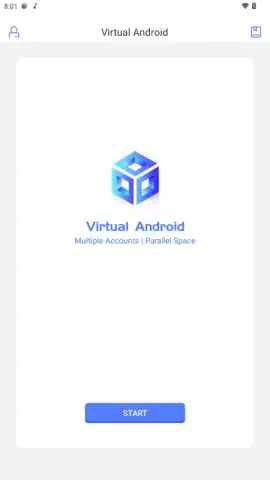
Imagine running a second, completely independent Android phone inside your own. Not just a cloned app, but a full operating system with its own home screen, settings, storage, and app library. Virtual Android - Android Clone makes this a reality by deploying a virtual machine based on Android 7 onto your device, creating a parallel digital workspace that operates in isolation from your primary system.
Core System Architecture and Operation
This application installs a complete Android ROM, requiring several hundred megabytes of space, to establish a virtualized environment. Upon launch, you boot into this separate Android instance as if powering on a new device. This virtual system maintains independent internal storage, allowing for the installation of applications and games without any data crossover with the host phone. You can switch between your real and virtual systems with a single tap, and background processes within the virtual machine continue running even while you use the primary phone for other tasks.
Parallel Application Execution and Account Management
The primary functional advantage is the capacity for true parallel operation. You import applications into the virtual environment, where each copy functions as a separate installation. This enables the simultaneous running of two independent sessions of the same app, such as WhatsApp, Telegram, or games like Free Fire. Both instances can receive their own notifications and maintain separate logins, eliminating the need to constantly sign in and out to manage multiple accounts on a single device.
Independent Virtual GPU for Sustained Performance
A distinguishing technical feature is the implementation of an independent virtual GPU for the cloned system. Rather than directly sharing the host device's graphics processor, the virtual Android instance handles its graphics through a dedicated layer. This architecture allows graphically demanding games to remain active in the background, even if you answer a call, switch apps, or perform other tasks on your main phone. It facilitates scenarios like keeping two game matches open concurrently or maintaining automated in-game processes while using the primary system.
Feature Set and Practical Utilities
- Deploy a full, independent Android 7 virtual machine within your existing device.
- Install and run separate application instances with isolated data and accounts.
- Switch between the host system and virtual environment with one tap.
- Maintain app and game processes in the virtual machine while using the primary phone.
- Utilize an independent virtual GPU for sustained background game performance.
Get your bonus of a fully separate digital workspace. Start managing dual accounts and parallel gameplay sessions today by installing Virtual Android.
Claim your advantage now and download the APK to create your new system image.
Disclaimer: This application requires an internet connection for initial ROM download and subsequent app installations within the virtual environment. It may require specific permissions to function. Data usage charges may apply. This product involves the creation of a virtual operating system and is not a direct game or entertainment title. User discretion is advised regarding account policies of individual applications run within the virtual space.
 GooglePlay


