
Xbox Game Streaming
Xbox Game Streaming screenshots (5)
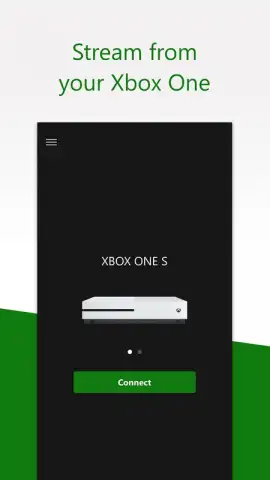
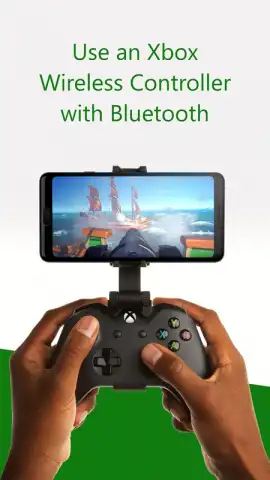
Description Xbox Game Streaming
Xbox Game Streaming Redefines Mobile Play, But Demands Your Setup
Microsoft's Xbox Game Streaming is not merely a companion app; it is a functional, direct pipeline that transforms a capable Android device into a portable display for your Xbox ecosystem. This official application bypasses the need for a television by leveraging your home network or Microsoft's cloud servers to stream gameplay directly. The experience is contingent on specific hardware—primarily a Bluetooth-enabled Xbox Wireless Controller—and a robust, stable internet connection, framing it as a premium solution for existing Xbox users rather than a casual cloud-gaming portal. Its value is intrinsically tied to your existing investment in the Xbox platform, offering genuine utility for in-home streaming and a growing library of cloud titles.
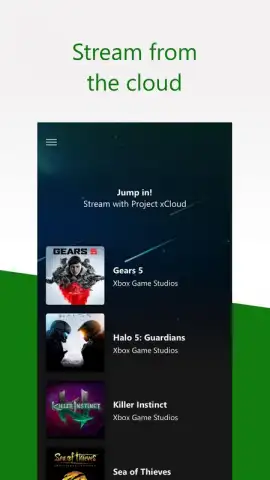
The application operates through two distinct, clearly defined technological pathways. The first is Xbox Cloud Gaming (Project xCloud), which hosts a curated selection of games on remote servers. This method requires no local console or game ownership, processing all inputs and video feeds through the internet. The second, more traditional method is console streaming, which directly links your Android device to a powered-on Xbox One or Series X|S console on the same network. This mode streams any game installed on your console's hard drive, effectively using your home hardware as the server. The technical divide between these modes is significant: cloud gaming offers location freedom, while console streaming provides access to your full personal library with typically lower latency within your home network.
Core Technical Features and Requirements
- Dual-Stream Architecture provides both cloud-based and direct console streaming from a single application interface.
- Bluetooth Controller Mandate requires an official Xbox Wireless Controller for all gameplay input and navigation.
- Home Network Optimization for console streaming demands a 5GHz Wi-Fi connection and console set to Instant-On mode.
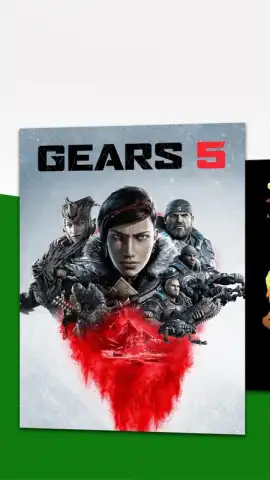
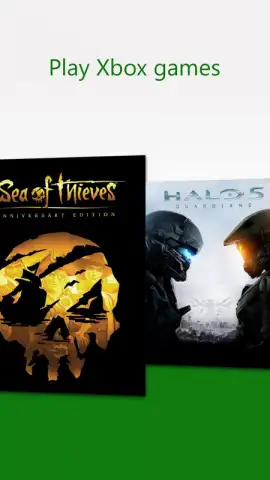
- Cloud Gaming Catalog offers a rotating selection of titles playable without a physical Xbox console.
- Full Library Access via console streaming enables play of any digitally owned or disc-based game installed on your hardware.
This is a tool for a specific audience: the dedicated Xbox gamer seeking to decouple from the living room screen. Its performance is a direct reflection of your network quality and hardware setup. For those with the correct ecosystem—a current Xbox console, a quality home router, and a modern Android device—it delivers a competent and convenient secondary play option. It is less an open invitation to gaming and more a key for those already inside the Xbox walled garden.
Download the Xbox Game Streaming app now to unlock your console's library on your Android device. This is exclusive access to a new dimension of play for ecosystem users—claim your mobile freedom today.
Disclaimer: Xbox Game Streaming requires a persistent high-speed internet connection (10 Mbps minimum for cloud, 20 Mbps recommended for console streaming; latency under 60 ms is critical). Data usage may exceed 4.75 GB per hour. An active Xbox Game Pass Ultimate subscription is required for Xbox Cloud Gaming (Beta). Console streaming requires an Xbox One or Xbox Series X|S console, with additional requirements for remote play outside the home network. This application supports Bluetooth-enabled Xbox Wireless Controllers only; compatibility with other controllers is not guaranteed. Age restrictions apply based on game content. This service is in beta and subject to change. Use of this application involves data collection and transmission as per Microsoft's privacy policy.


