

4K Video Downloader
4K Video Downloader screenshots (5)



Description 4K Video Downloader
A Direct Tool for High-Fidelity Media Acquisition on Mobile
This application is the official Android port of the established 4K Video Downloader software for desktop. Its core function is to facilitate the direct downloading of video streams to a local device, with extensive control over the output format and quality parameters. The process is built around URL input, where the software parses available streams and presents configurable download options, eliminating the need for in-browser screen recording or intermediary websites.
Technical Specifications and User-Controlled Output
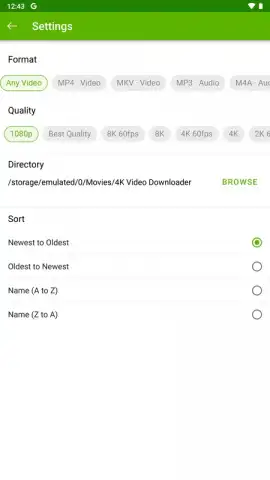
The utility provides granular control over the final file. Users can select from a comprehensive range of video resolutions, from 240p up to 2160p (4K). For compatible sources, high frame rate options at 60 frames per second are available for resolutions of 720p and above. The software handles format conversion, allowing video to be saved as MP4 or MKV containers. For audio extraction, it supports conversion to MP3 or M4A formats with selectable bitrate quality: 320 kbps, 256 kbps, 192 kbps, or 128 kbps. A designated download folder can be set within local or external storage, organizing acquired content directly.
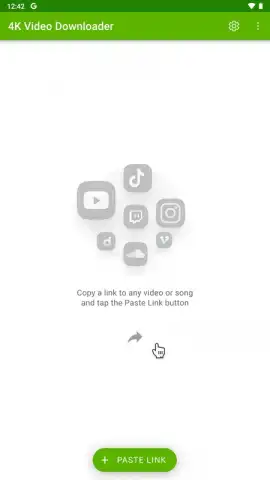
The operational model is straightforward: the user pastes a supported video URL into the application. The software then analyzes the source and presents the available quality and format profiles for selection. The download proceeds with the chosen specifications. The absence of in-application advertising is noted, with optional premium features typically gated behind a subscription or one-time license, often referred to as a "Turbo" mode in the desktop counterpart, for enhanced batch processing or speed.
- Multi-Format Conversion Engine: Download video as MP4/MKV or extract audio as high-bitrate MP3/M4A files.
- Precise Quality Selection: Choose from resolutions up to 4K and 60FPS, with multiple audio bitrate options.
- Designated Storage Management: Set a custom download directory on your device for organized file storage.
Analysis of the Download Workflow
The application serves a specific technical need: creating local, quality-guaranteed copies of online video content. Its value lies in the precision of its output settings, which are often more detailed than those found in web-based downloaders. The direct port from a known desktop platform suggests a focus on functionality over aesthetic design, prioritizing a familiar workflow for existing users. The requirement for a direct video URL means it functions as a dedicated tool rather than an in-browser extension, which defines its particular use case.
Get your high-quality media library started by installing the application now.
Internet required. IAP available.


