

AA AIO Tweaker
AA AIO Tweaker screenshots (5)

Description AA AIO Tweaker
What if you could unlock the full potential of your Android device with a single, unified tool?
AA AIO Tweaker is a comprehensive system utility application designed for users seeking granular control over their Android operating system. It consolidates a wide array of adjustment and optimization functions into one interface, moving beyond basic settings to offer deeper access for customization and performance tuning. This tool is built for those who prefer a hands-on approach to managing their device's behavior, from interface tweaks to underlying system parameters.
Core Functionality and Adjustment Tools
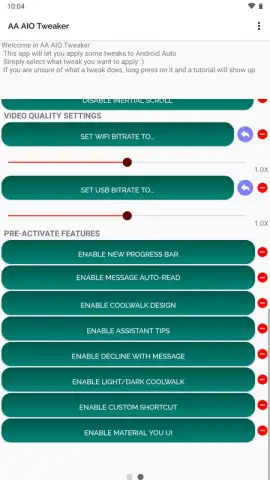
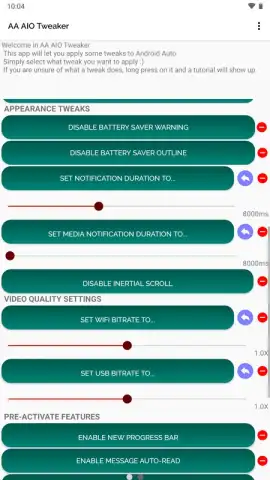
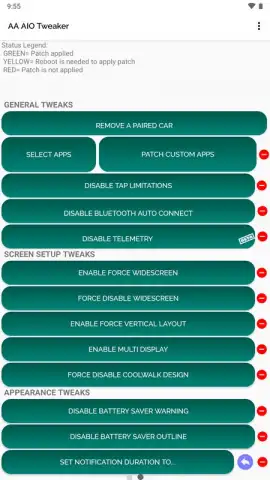
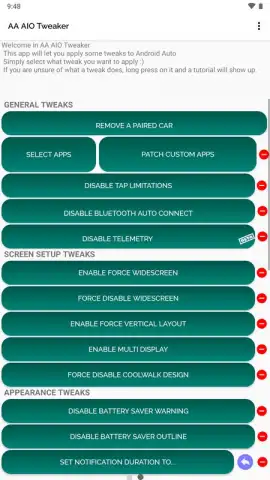
The application operates as a centralized hub for system modifications. It provides controls for altering visual elements like animation scales and transition speeds, which can directly impact the perceived responsiveness of the device. Beyond aesthetics, it includes utilities for managing app permissions in bulk, clearing cached data from multiple applications simultaneously, and accessing developer options shortcuts. A key aspect is its ability to modify system-level flags and properties that are typically not exposed in the standard user settings menu, allowing for behavioral changes related to networking, debugging, and hardware interaction. The interface presents these options in a categorized manner, though their effectiveness can depend on the specific device model, Android version, and whether the user has obtained root access for the most advanced features.
Operational Characteristics and User Workflow
The utility requires Android 6.0 or higher and functions primarily as an advanced settings editor. Upon launch, it inventories the adjustable parameters available on the device. Users navigate through sections dedicated to different system aspects—such as display, sound, battery, and security—where toggle switches, sliders, and input fields are presented. Changes are often applied immediately or after a device reboot. The app includes basic safeguards, like warnings for potentially unstable settings, but the onus is on the user to understand the function of each tweak. Its advantage lies in eliminating the need to use multiple, disparate apps for similar tasks or to manually input commands via ADB for common adjustments.
- Centralized system control panel for managing numerous Android settings from one application interface.
- Deep customization options for UI animations, transition effects, and visual feedback parameters.
- Bulk operations utility to handle app cache clearance and permission management efficiently.
- Advanced flags and build.prop editor for modifying low-level system properties and behaviors.
- Developer options shortcut and tools for enabling debugging features and monitoring system processes.
Download the mobile app now to gain exclusive, early access to this all-in-one system tuning suite. This centralized control hub is available for a limited time to users seeking to move beyond standard settings.
Disclaimer: This application requires an internet connection for initial functionality verification and potential updates. It may offer in-app purchases for advanced features or modules. Use is subject to the terms of your device's warranty and compliance with local laws. Modifying system settings can potentially lead to instability, data loss, or security vulnerabilities; proceed with caution and at your own risk. The app may access system data and permissions necessary to enact changes. It is intended for users with technical knowledge of the Android operating system. Age restrictions may apply based on regional regulations.


