
ABC NOTEPAD
ABC NOTEPAD screenshots (3)

Description ABC NOTEPAD
The Digital Notebook That Adapts to Your Thoughts
In the constant flow of daily life, ideas, lists, and reminders often arrive fragmented and out of sequence. Traditional notepads force linear thinking, while digital alternatives can be cluttered with unnecessary features. ABC NOTEPAD addresses this by providing a minimalist yet adaptive writing surface designed to capture information as it forms in your mind, structuring it only when you need to. It is a tool built for the non-linear nature of modern productivity, where a shopping list, a project brainstorm, and a personal reminder can coexist without friction.
Core Functionality and Adaptive Tools
ABC NOTEPAD operates on a principle of focused utility. The core interface is a clean, infinite canvas where text can be placed freely, rejecting the rigid line-by-line constraint of basic editors. Users can create multiple independent notes or pads for different life categories—work, home, personal goals. A key mechanic is the quick-formatting toolbar that appears on text selection, allowing for instant transformation of any snippet into a checklist, a bold header, or a color-coded block without navigating menus. The app employs a robust search function that indexes every word across all notes, and a tagging system lets users retroactively categorize even the most hastily written thoughts. For visual organization, a pinning feature keeps critical notes accessible from a dedicated shelf, and export options ensure data portability to standard text formats.
Key User Experience Advantages
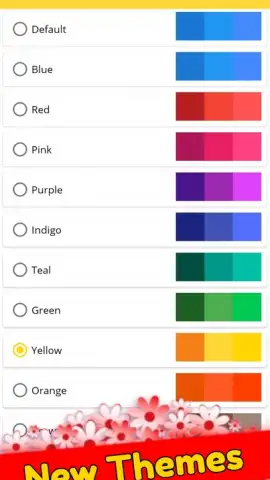
The primary strength of ABC NOTEPAD lies in its intentional lack of friction. The application launches instantly, with no splash screens or loading delays, placing the user directly into their last active note. Typing responsiveness is prioritized, with no noticeable lag even on extensive documents. Visually, the app offers a selection of carefully calibrated themes, including a true dark mode that reduces eye strain during extended use, and adjustable font sizes for readability. All data is stored locally on the device by default, ensuring privacy and immediate access, with an optional cloud synchronization feature for users who require cross-device access. The design avoids ornamental graphics, dedicating maximum screen real estate to the content itself.
- Infinite canvas for freeform note-taking
- Instant text-to-checklist conversion
- Universal search across all notes
- Local-first storage with cloud sync
Organize your thoughts with zero distraction and immediate access. Download ABC NOTEPAD now and experience a writing tool that finally keeps pace with your mind.
Internet required for cloud sync. IAP available.


