

AdLockPro - Block Ads
AdLockPro - Block Ads screenshots (6)
Description AdLockPro - Block Ads
Reclaim Your Screen from the Digital Noise
Imagine opening your favorite game or news app, ready to relax or catch up, only to be interrupted by a video ad before you can even start. Or picture browsing a website on your phone, trying to read an article while banners and pop-ups fight for your attention. This constant interruption is more than an annoyance; it drains your battery, consumes your mobile data, and fragments your focus. What if you could simply make it all disappear with a single, persistent solution? This is the reality offered by a dedicated ad-blocking tool, transforming a cluttered, frustrating mobile experience into a clean and streamlined one.
A Granular Shield for Your Digital Life
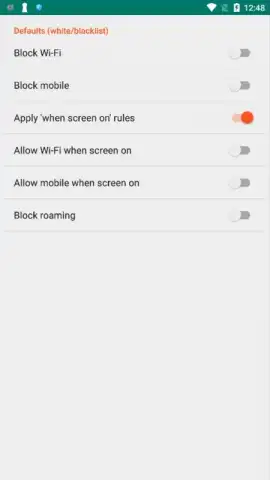
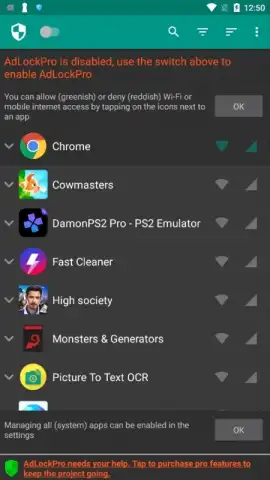
The core functionality revolves around creating a personalized filter for your device. Instead of a simple on/off switch, you are presented with a system of detailed controls. These controls allow you to build a precise ad-blocking policy that matches exactly how you use your phone. You decide the scope: whether to block ads across your entire device or to create a custom list of specific apps where the blocking should be active. This means you can silence ads in your free games and browsers while leaving them functional in apps where you might want to see supported content.
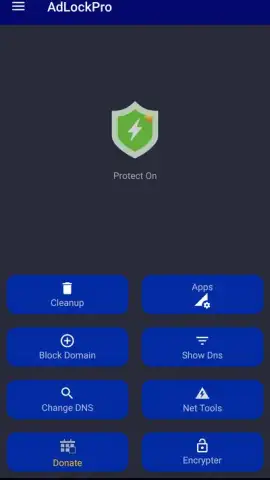
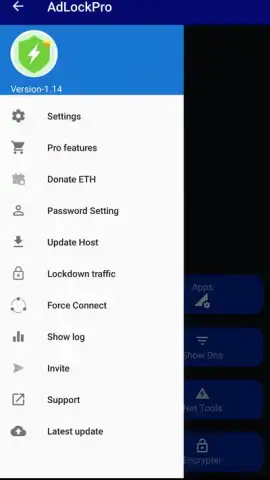
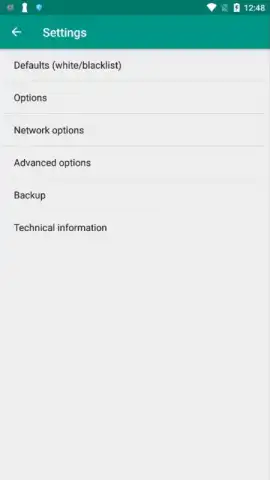
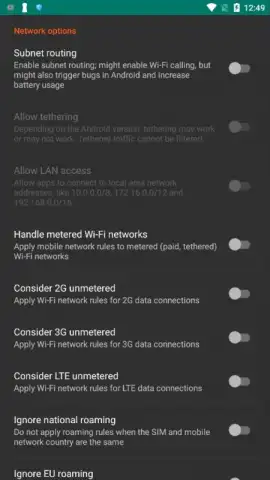
Furthermore, the control extends to your network connections. You can configure the ad blocker to operate only when you are on mobile data, helping to conserve your precious data plan, or have it always active, including on Wi-Fi. The application runs continuously in the background as a system service. Once your preferences are set, there is no need to manually activate it each time; it works silently, filtering out intrusive advertisements from both applications and within your mobile web browser. The interface is designed for immediate clarity, with well-organized tabs and clearly labeled options, making the setup process straightforward even for those who are not technically inclined.
Key Aspects of the Ad-Blocking Experience
- Precision Filtering: Exercise detailed control over where ads are blocked. Create a global shield or a curated list of apps, ensuring your preferred experience in every application.
- Network-Aware Operation: Configure blocking rules based on your connection type. Choose to block ads only on cellular data to save bandwidth or on all networks for consistent protection.
- Set-and-Forget Convenience: The service operates automatically in the background after initial setup. It requires no daily interaction, providing constant, silent protection without needing to be turned on or off.
- Unified Protection: The blocking technology works across the Android ecosystem, targeting intrusive advertisements within both installed applications and pages loaded in your internet browser.
- Streamlined Interface: Navigate a clean, intuitive layout with logically grouped settings and accessible buttons, allowing for quick configuration and management of your blocking preferences.
Consider downloading AdLockPro - Block Ads to experience a cleaner, faster, and more focused mobile environment. We suggest trying it to take direct control over what appears on your screen and to stop unwanted content from consuming your data and attention.
Internet required. IAP available.


