

Adobe Photoshop Lightroom
Adobe Photoshop Lightroom screenshots (7)

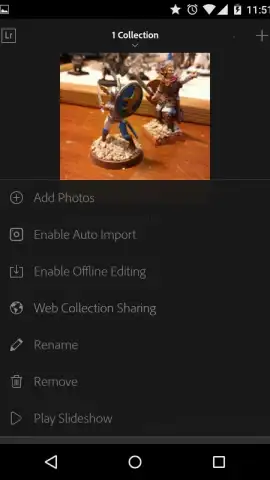
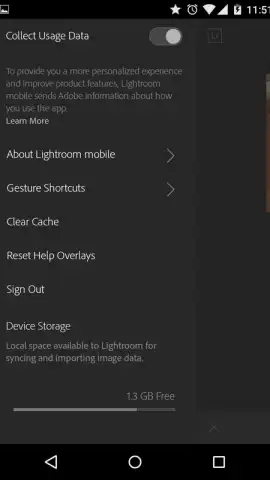


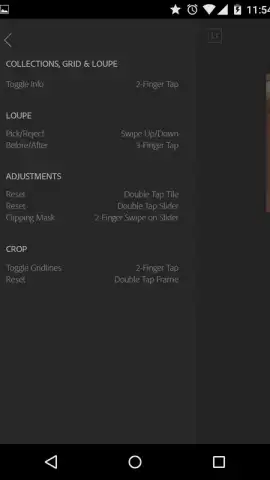

Description Adobe Photoshop Lightroom
Ever feel like your phone's camera captures the moment, but your editing tools can't quite capture the vision? What if you had the power to professionally organize, edit, and sync your photos from anywhere, directly from your Android device?
Adobe Photoshop Lightroom Mobile brings the renowned power of Adobe's photo ecosystem directly to your fingertips. This official application is engineered for photographers who demand precision, offering a seamless workflow for managing extensive libraries and working with high-fidelity RAW files directly from DSLR and mirrorless cameras. The sophisticated yet intuitive interface allows you to create unlimited custom folders and albums, with all changes synchronizing automatically across your devices via Adobe Creative Cloud. Beyond organization, you gain access to a comprehensive suite of pro-grade editing tools for granular adjustments in color, light, and detail. The experience is optimized for touch, featuring a wide array of customizable gestures that dramatically speed up common actions like cropping, rating, and applying presets, making advanced editing both faster and more intuitive.
- Edit RAW photos & sync libraries
- Pro tools with gesture controls
- Unlimited cloud-based organization
Transform your photography workflow today. Download Adobe Photoshop Lightroom Mobile now and claim your advantage with powerful editing that moves as fast as you do.
Heads up: you'll need wifi for initial sync and heavy uploads. Some premium features require an Adobe subscription.
 GooglePlay


