

AirBattery
AirBattery screenshots (5)

Description AirBattery
A Battery Monitor That Actually Belongs on Your Home Screen
AirBattery provides a rare utility: it transforms your device's status bar and notification shade into a comprehensive, real-time power management hub. This tool addresses the universal frustration of vague battery icons by delivering precise, actionable data for every connected device in your ecosystem, from your phone to your wireless earbuds. It turns passive power observation into an active diagnostic and planning tool, eliminating the guesswork from your daily charging routine.
Core Functionality and System Integration
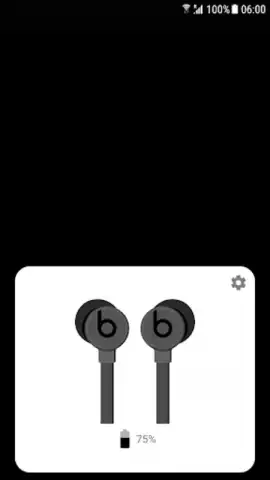
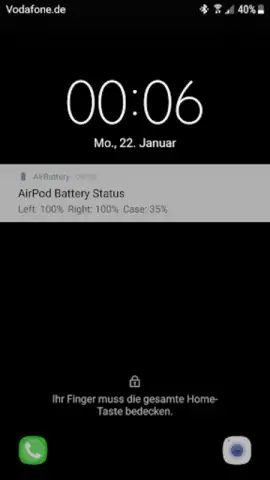
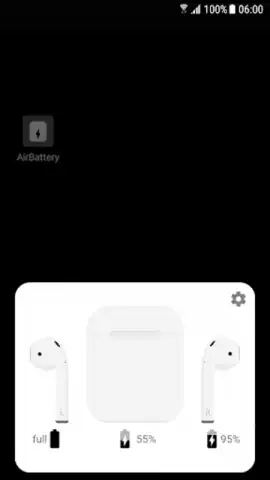
The application operates with a persistent, lightweight notification that serves as its primary interface. This notification dynamically updates to display the exact battery percentage of your host Android device. Its true utility is unlocked via Bluetooth and compatible accessory support, where it can pull and display the battery levels of connected peripherals like TWS earbuds, smartwatches, or styluses directly within this same streamlined view. The core mechanic is one of aggregation and clarity, pulling disparate battery data points into a single, glanceable location. Users can customize the notification's priority, choose which connected devices to monitor, and often benefit from widget support for at-a-glance home screen tracking. The design is intentionally minimal, focusing on legible digits and clear icons to communicate essential information without clutter.
Key Advantages in Daily Use
The principal strength of AirBattery lies in its unobtrusive yet omnipresent utility. It performs a single function with exceptional focus, avoiding feature bloat while solving a genuine daily pain point. The user experience is defined by its set-and-forget nature; once configured, it works silently in the background, requiring no regular interaction. Visually, it prioritizes system coherence, often matching your device's theme and providing information in the cleanest format possible. From a performance standpoint, its impact on system resources and battery life is negligible, a critical consideration for a tool that runs persistently. The convenience of seeing your earbuds' battery level the moment you pull down the notification shade, without opening a manufacturer's proprietary app, is a tangible time-saver.
- Unified Battery Dashboard: See precise percentages for your phone and all connected Bluetooth accessories in one notification.
- Persistent, Glanceable Status: Vital power data is always visible in your notification shade without opening any apps.
- Minimal System Impact: Engineered for efficiency with negligible drain on your device's own battery resources.
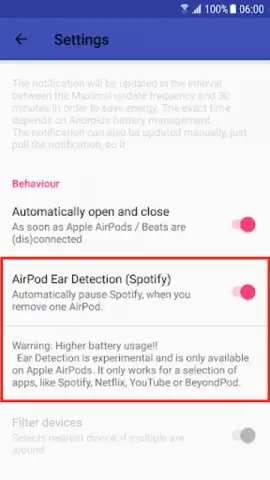
- High Customization Priority: Control the notification's visibility, layout, and which device levels are displayed.
- Universal Compatibility: Works with a wide range of Bluetooth devices from various manufacturers.
We suggest trying AirBattery if you regularly use wireless accessories and value precise, consolidated information over aesthetic gimmicks. Consider downloading it to replace uncertainty with exact data for all your devices' power states.
An internet connection may be required for initial setup. The app may contain optional in-app purchases for advanced customization features. Requires Bluetooth for accessory battery monitoring.


