

All Storage Search
All Storage Search screenshots (4)

Description All Storage Search
Ever feel like your files are playing hide and seek across your phone's storage? You know that document is somewhere, or that photo from last week is buried, but scrolling through endless folders feels like a digital treasure hunt without a map. What if you had a search command for your entire device—internal memory, SD card, and all—that found anything in seconds?
That’s the exact superpower All Storage Search puts in your pocket. This isn't just a basic file browser; it's a dedicated, powerful search engine designed specifically for your Android device. Imagine typing just a few characters of a forgotten filename and watching every matching result appear instantly. It transforms your device from a cluttered digital drawer into an organized, instantly accessible library. Whether you're managing work documents on internal storage or sorting vacation photos on an external SD card, this app places total control at your fingertips, making file management feel effortless and incredibly fast.
Your Personal File Detective
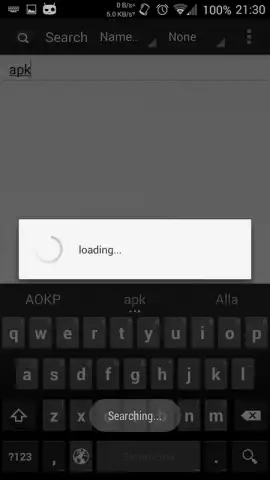
Dive into an experience where finding files feels intuitive and powerful. The app greets you with a clean, focused search bar—your gateway to everything stored on your device. You’re not just searching filenames; you’re conducting a deep scan across all connected storage with precision. The true magic happens when you use partial searches; maybe you only recall "invoice_202..." and the app will diligently uncover every file containing that sequence. It handles the chaos of your digital life, presenting order from the clutter and giving you back precious time.
Features Designed for Total Control
Beyond its core search genius, All Storage Search is packed with features that adapt to exactly how you want to work.
- Advanced Search with Wildcards: Unlock pinpoint accuracy in the Donate version using special symbols to represent unknown parts of a filename, turning vague guesses into exact matches.
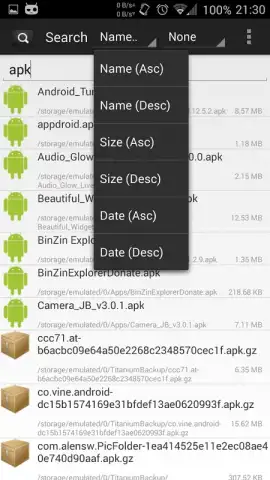
- Smart Sorting & Grouping: Organize results effortlessly by name, date, or file size, and choose to group everything by their parent folder for logical, context-aware browsing.
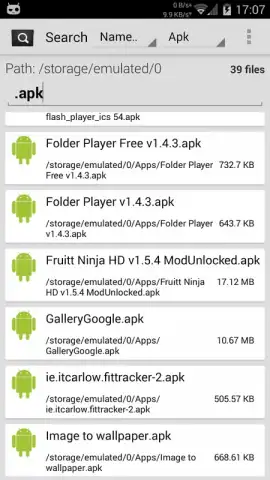
- Instant File-Type Filters: One-tap filtering isolates specific categories like images, music, videos, documents, archives, APKs, or folders, skipping irrelevant results entirely.
- Dual Viewing Modes: Switch between a simple list for quick scanning and a detailed view that shows you file sizes, dates, and types at a glance.
- Full Visual Customization: Personalize your interface by adjusting text sizes and choosing between light and dark themes to suit your style and environment.
But the functionality doesn't stop at finding files. This is a fully-featured management suite. You can open and preview files directly, select multiple items for batch operations like copy or delete, and rename files on the fly. For the ultimate power user, the Donate version adds the ability to modify file permissions, giving you root-level control over your system.
Upgrade to a Turbocharged Experience
Consider this: the free version is remarkably capable, but the Donate version of All Storage Search removes all limits. For a small one-time fee, you strip away advertisements and gain access to powerful extras like root-level search capabilities and exclusive themes. This upgrade isn't just about removing annoyances; it's about supercharging your productivity, making every search faster and every management action smoother. It’s the definitive tool for anyone serious about mastering their Android device's storage.
Claim Your Digital Organization Now
Stop wasting time searching and start finding. Transform your phone into a model of efficiency. Get All Storage Search and experience the speed of total file control today!
Disclaimer: This application requires an internet connection for initial download and potential updates. The app may contain in-app purchases to unlock the Donate version features. Please be aware of data usage charges from your provider. The app is intended for general use; certain advanced features may require technical knowledge. Always ensure you have backups before performing file operations.


