

Amaze File Manager
Amaze File Manager screenshots (6)
Description Amaze File Manager
Ever feel like your phone's built-in file explorer is hiding your own data from you? What if you could navigate every folder, manage any file, and truly own your device's storage with a tool that's both powerful and beautifully simple?
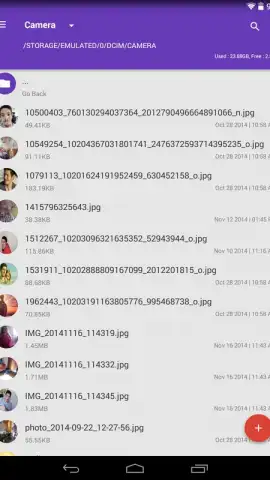
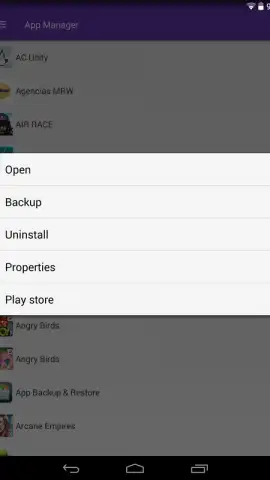
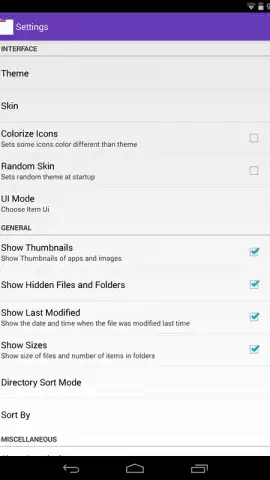
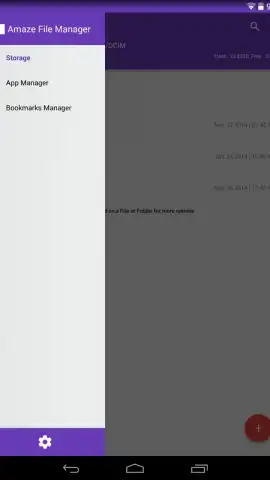
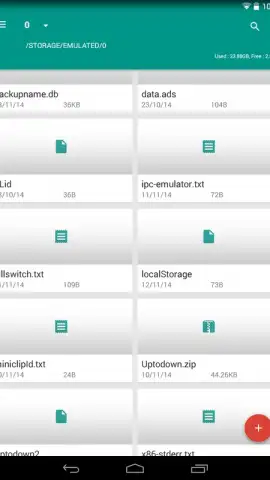
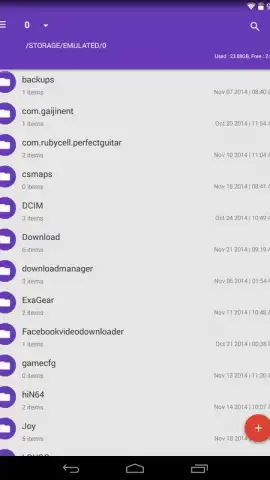
Amaze File Manager hands you that control. This open-source application grants you complete visibility and mastery over your Android device's directory structure. You experience a clean, elegant interface from the moment you open it, designed to eliminate clutter and focus purely on your files. The settings offer a personal touch, allowing you to select a color theme that matches your style, making the tool feel uniquely yours. Beyond the essential actions like cut, copy, paste, archive, and extract, this manager introduces thoughtful enhancements that streamline your workflow. A quick access window acts as a dedicated shortcut panel for your most-used folders, saving you from repetitive digging. It also integrates a full application manager, giving you a clear overview of installed apps and the power to remove them, directly freeing up valuable storage space. Developed as an ongoing project, Amaze File Manager combines a robust, evolving feature set with a remarkably polished and intuitive design.
Core Features at Your Fingertips
- Complete File System Access: Navigate through all directories on your Android device without restrictions, moving, renaming, and organizing documents and media freely.
- Streamlined Core Operations: Perform all standard file actions including cutting, copying, pasting, compressing files into archives, and extracting archived content seamlessly.
- Customizable Elegant Interface: Enjoy a minimalist, ad-free layout that you can personalize with a choice of color schemes in the application settings.
- Quick Access Dashboard: Utilize a dedicated panel that functions like a shortcut list for your frequently visited directories, speeding up your daily file navigation.
- Integrated App Manager: View all installed applications in one place and uninstall them directly to efficiently manage and free up device storage space.
- Open-Source Development: Benefit from a transparent, community-driven project that is continually refined, offering a powerful tool that respects your privacy and control.
Take full command of your device's storage and streamline your digital workflow. Download Amaze File Manager now and transform how you interact with your files.
This application requires an internet connection for initial download and potential updates. The app may contain options for in-app purchases.
 GooglePlay


