
Android File Manager
Android File Manager screenshots (3)
Description Android File Manager
Ever felt like your phone's files are a messy digital drawer, impossible to organize? What if you could manage them with the same precision and power you use on your desktop computer? Android File Manager transforms that idea into reality, bringing a full desktop-grade file management experience directly to your Android device. It’s the tool that bridges the gap between mobile convenience and computer-level control, letting you command your files and apps with intuitive ease.
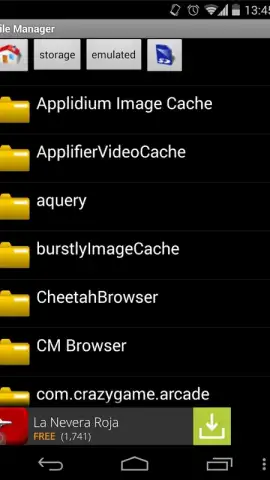
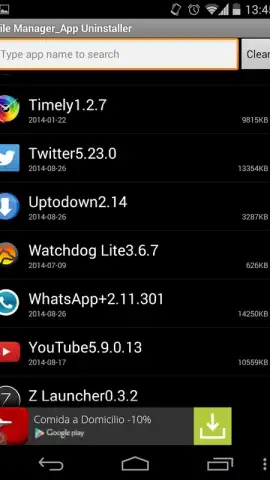
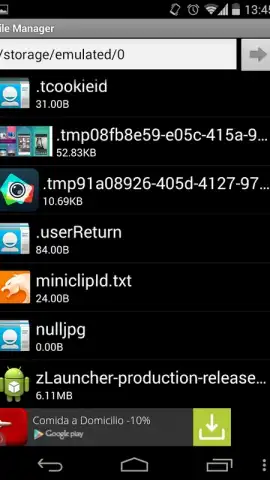
This isn't just a basic file viewer. Android File Manager is a comprehensive organizational hub designed for direct, unfiltered access to your device's entire storage ecosystem. Navigate the root directories of your Android system with confidence or seamlessly browse through all installed applications from a unified interface. The app empowers you to perform fundamental file operations—copy, paste, cut, move, and delete—on both files and folders with a simple tap, mirroring the workflow you already know. A standout feature is its integrated application manager, which provides a convenient and streamlined way to review, manage, and uninstall other apps, freeing up valuable space without jumping between settings menus. Built with a focus on practicality, it delivers all essential file manager functions through a clean, straightforward interface that prioritizes usability over complexity.
Core Features at a Glance
- Desktop-Style File Operations: Execute precise copy, paste, cut, and move actions on individual files or entire folders using a familiar workflow.
- Complete Storage & App Access: Navigate core device directories and simultaneously browse all installed applications from a single, unified management panel.
- Integrated App Uninstaller: Quickly review and remove other applications to free up storage space directly from the file manager interface.
We suggest trying Android File Manager to finally bring order to your device's storage. It provides the straightforward, powerful control you've been missing. Consider downloading it now for a cleaner, more efficient phone.
Download mobile app now
An internet connection may be required for certain functions. This app may contain in-app purchases.


