

Android L Keyboard
Android L Keyboard screenshots (4)
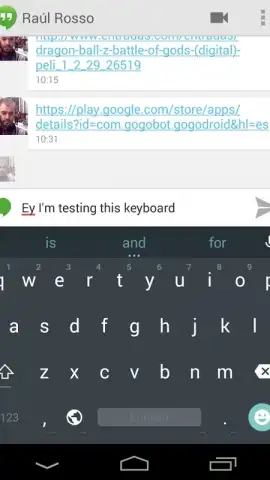
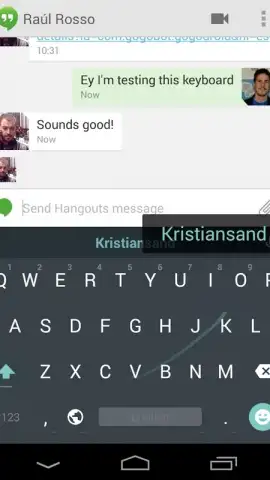
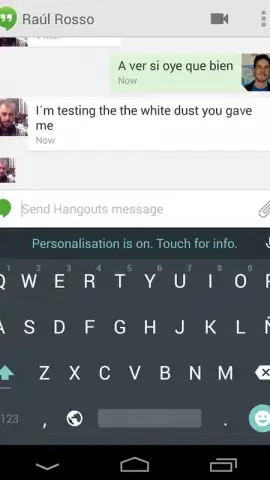
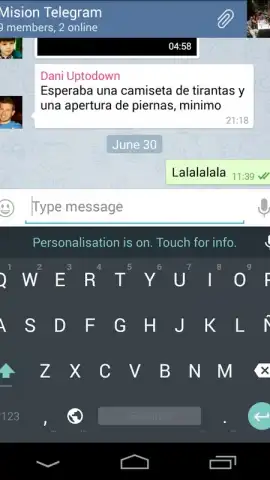
Description Android L Keyboard
A Tactical Review of the Android L Keyboard Port
This application delivers a precise, functional port of the keyboard interface from an early developer build of Android L (later known as Lollipop) to a wider range of Android devices. It is not a themed imitation but a direct implementation, offering users a chance to experience the foundational design and input mechanics that would define Google's mobile OS for years. For enthusiasts and minimalists, it represents a clean break from manufacturer-skinned keyboards and third-party feature bloat, focusing purely on a streamlined, anticipatory typing experience.
The installation process is managed through a guided setup within the application, which automates the system-level permissions and settings activation. Post-installation, you must manually enable the keyboard in your device's Language & Input settings and select it as the default input method. The core interaction model revolves around gesture typing, allowing you to input words by swiping across letters without lifting your finger, which the engine predicts with notable accuracy. A long-press on the Enter key reveals the full suite of Hangouts-style emoji, integrating expressive punctuation without cluttering the primary interface. The visual design adheres to the then-new Material Design principles, featuring a flat, geometric key layout with a restrained color palette that emphasizes clarity and reduces visual noise during composition.
- Implements the authentic Android L keyboard engine for gesture-based swipe typing.
- Provides instant access to the complete Hangouts emoji library via a long-press.
- Features a clean, minimalist Material Design interface with zero visual clutter.
- Offers a guided, step-by-step installation and system activation process.
- Functions as an ad-free input method when used with the companion Turbo utility.
The utility of this keyboard lies in its purity and historical significance as a snapshot of Google's design evolution. It is a tool for users who prioritize a no-nonsense, system-integrated typing feel over customizable gimmicks. For a limited time, the developer is offering exclusive access to the ad-free experience through the Turbo module—a notable enhancement over the standard version.
Download the Android L Keyboard port now to install a piece of Android history on your device. This exclusive early-build access won't be available indefinitely.
Heads up: you'll need wifi for the initial download and setup. Some cool stuff, like the permanent ad-free experience, is extra via the Turbo module.


