
Vertical Gallery
Vertical Gallery screenshots (8)



Description Vertical Gallery
A Redefined Image Management Experience for Modern Android
Vertical Gallery delivers a comprehensive image management system, built as a modern reinterpretation of the classic gallery application native to Android 4.4 KitKat. This application provides a streamlined, efficient alternative to default solutions, focusing on minimal storage footprint, fluid operation, and a complete suite of tools for photo organization and editing. It is engineered for users seeking a straightforward, powerful gallery without unnecessary bloat or performance overhead.
Core Functionality and Organizational Structure
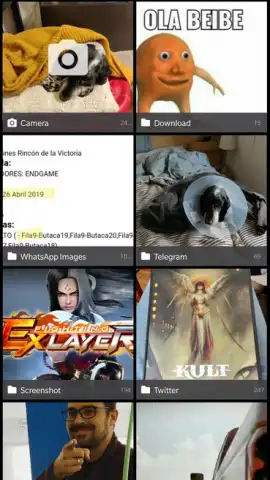
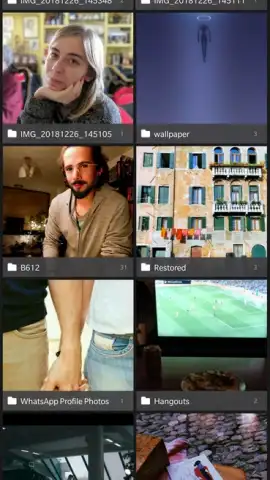
The application organizes all images and folders into a clean, two-column vertical layout. This structure automatically sorts content by the last modified date, ensuring your most recent captures from the camera are immediately accessible at the top of the view. The same chronological ordering is applied within individual folders for consistent navigation. Viewing any image in full detail requires a single tap, which opens the dedicated viewer and unlocks the full editing toolkit.
Advanced Integrated Editing Suite
Upon opening an image, a detailed set of editing instruments becomes available. The toolkit includes precise crop and resize functions, white balance adjustment, and contrast enhancement controls. Users can apply decorative frames and access a library of over a dozen one-tap visual filters. Any edits or filter applications can be saved directly, creating a new version of the image that is seamlessly integrated back into your main gallery library for immediate access.
Customization and System Integration
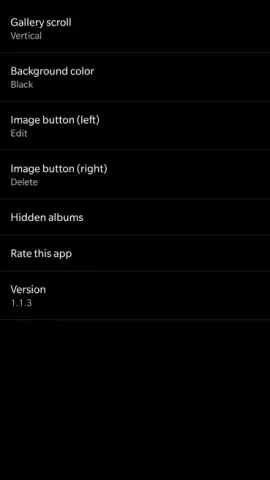
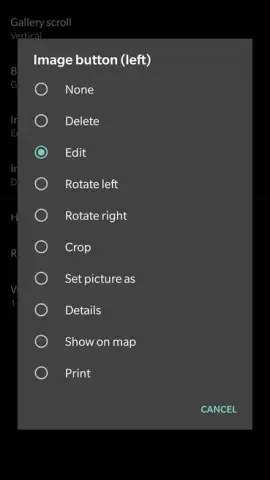
Beyond core management, the application offers significant interface personalization through its settings menu. Users can modify the overall theme and visual presentation of the interface to match personal preference. The design philosophy prioritizes a lightweight architecture that conserves device resources while maintaining full compatibility and reliable performance across Android devices as a direct replacement for pre-installed gallery software.
- Two-column chronological layout
- One-tap filters and edits
- Lightweight, ad-free operation
We suggest trying Vertical Gallery for a streamlined and capable photo management workflow that enhances the default Android experience. Consider downloading the app for direct access to organized libraries and on-device editing tools.
Download mobile app now
Note: The application requires standard device permissions to access local media storage. Functionality is contained on-device; however, saving new images and certain features may utilize system resources. Please review the app's specific permissions upon installation.
 GooglePlay


