
Android Samba Client
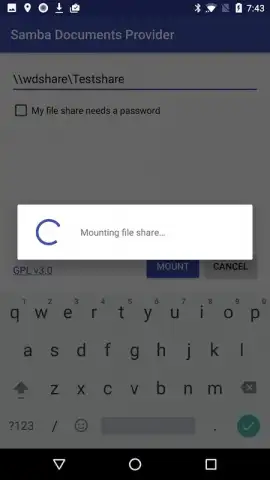
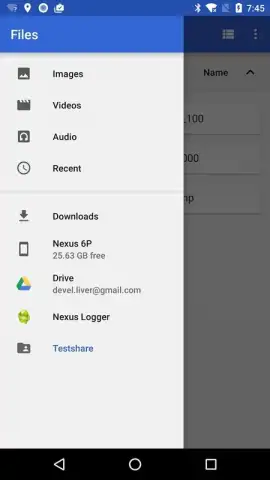
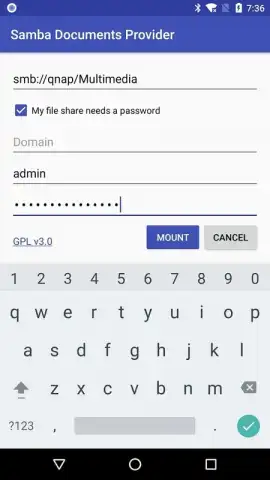
Android Samba Client screenshots (3)
Description Android Samba Client
Ever need to access files on a remote computer or server directly from your Android device, without cumbersome cables or complex setups? What if you could turn your phone or tablet into a seamless bridge to your entire network storage?
Android Samba Client is the official, Google-developed solution that makes this a reality. This app leverages the powerful, industry-standard SMB protocol—the same system used for file sharing on Windows networks—and brings it perfectly to your Android device. It acts as a dedicated port of the renowned Samba software, translating that robust functionality for the mobile environment. You can securely mount shared folders from other computers on your network, accessing documents, media, and backups as if they were stored locally. Conversely, you can also designate a specific folder on your own device to be shared with other users on the network, creating a versatile two-way street for data. This requires the proper access credentials for any remote machine you connect to, including passwords where set, ensuring your connections remain private and secure.
The experience is streamlined and focused. You benefit from a clean, ad-free interface powered by Turbo mode, designed for swift and reliable data transfers. This is not a simplified imitation; it’s the genuine Samba technology adapted for open-source systems, now in the palm of your hand.
- Official Google-developed application
- Connect to remote SMB shares
- Share a folder from your device
- Turbo mode for fast performance
Transform your Android device into a powerful network access point. Stop emailing files to yourself or relying on slow cloud sync. Get direct, high-speed access to all your networked files immediately.
Download Android Samba Client now!
A working internet or local network connection is required. The app may support optional in-app purchases.


