

AntiVirus Scanner Remover
AntiVirus Scanner Remover screenshots (5)
Description AntiVirus Scanner Remover
Your Phone Feels Slow and Exposed. Time to Take Back Control.
You know that creeping suspicion. You download a file, visit a new website, or just notice your phone getting warmer for no reason. That nagging worry about hidden malware, data trackers, or a virus draining your battery is a constant background stress. You shouldn't have to be a tech expert to feel safe. What you need is a silent guardian that works tirelessly in the background, giving you the freedom to use your device without second thoughts. This is where a dedicated security tool transforms from a luxury into a necessity, acting as an always-on shield that lets you browse, download, and explore with genuine confidence.
Comprehensive Protection That Works on Autopilot
The core promise here is effortless, real-time security from the moment you install. Imagine an application that activates instantly, creating a protective barrier around your system without requiring complex setup or daily input from you. This continuous monitoring analyzes every process and file access in the background. When you click a link or install a new app, it's being vetted before it can cause any harm. This fundamental layer of defense is designed for peace of mind, ensuring that your everyday digital activities—from online shopping to app downloads—are no longer fraught with hidden risks. You get proactive notifications only when a genuine threat is detected, putting you in control to quarantine or remove the danger immediately.
Four Precision Scans to Diagnose and Clean Any Issue
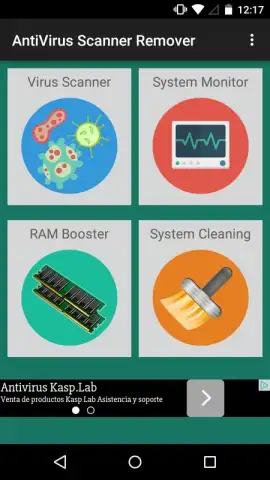
Beyond constant vigilance, you gain a powerful diagnostic toolkit with four distinct scanning modes. Each mode targets a specific area of your device's health, moving beyond vague warnings to deliver precise, actionable information.
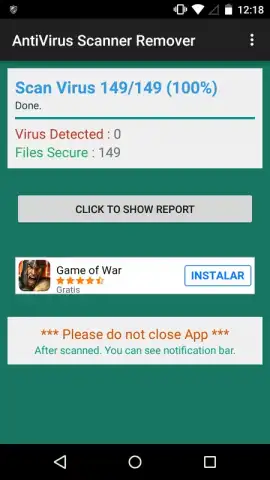
- Deep System Scan: This is your primary malware hunter. It meticulously combs through your device's core system files and installed applications, identifying malicious code, trojans, and spyware that aim to steal data or damage your operating system.
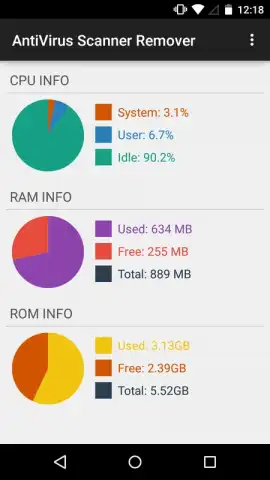
- Hardware Analyzer: This scan provides complete transparency about your device's vital signs. It delivers detailed, real-time information on CPU load, available RAM, and used storage (ROM). This isn't just data; it’s the key to understanding why your phone might be lagging, allowing you to pinpoint resource-hogging processes.
- Junk Cleaner: This function targets the clutter that accumulates over time. It systematically finds and removes temporary cache files, residual app data, and unnecessary logs that silently consume precious storage space and can slow down your device's performance.
- Background Process Manager: This tool gives you direct control over what's running. It identifies and lists all active background processes, allowing you to safely stop non-essential ones. This instantly frees up RAM and processor cycles, leading to a noticeably snappier and more responsive phone experience.
Targeted Scans for Instant, Focused Action
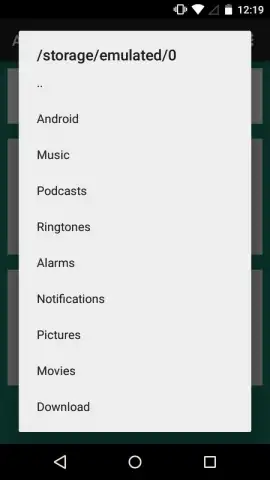
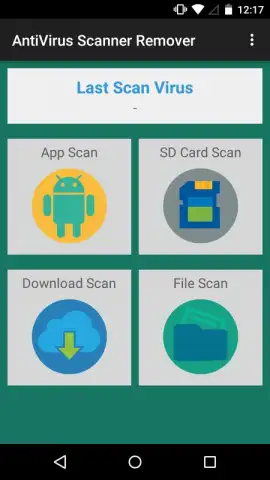
Why wait for a full system scan when you only need to check one thing? The application provides four additional targeted scanning options, saving you considerable time and battery life. You can choose to scan exclusively your installed applications, the entire contents of your SD card, your downloads folder, or any other specific directory in your device's memory. This is perfect for quickly vetting a new batch of downloads or checking an external storage card for any threats before opening files.
The combined power of real-time protection, full system diagnostics, and targeted tools means your Android device is no longer vulnerable. You can browse the internet without fear of intrusive ads or redirects, and download files without the anxiety of accidentally installing a virus. If any malicious process attempts to run, you are alerted immediately, and the action is blocked until you grant explicit permission. It’s a comprehensive security suite that handles the complexity so you can enjoy simplicity.
- Real-time, always-on malware protection
- Four dedicated system health scans
- Targeted folder and file scanning
- Zero advertisements with Turbo mode
Stop compromising your device's security and performance. Claim your advantage now and install the ultimate Android shield.
Disclaimer: A functional internet connection is required for initial setup and database updates. The application may offer optional in-app purchases for advanced features.


