

AnyDesk
AnyDesk screenshots (5)
Description AnyDesk
Your Desktop, Now in Your Pocket
Imagine you're about to leave the office or rush out the door, and a sudden wave of dread hits—you forgot to save that critical document, or you need to grab a file that's only on your home PC. Your plans feel instantly derailed. What if you could simply reach into your pocket and have your full computer desktop right there on your phone? That’s the reality AnyDesk creates for you. This isn't just about remote access; it's about erasing the physical distance between you and your work, turning your mobile device into a powerful portal to your most important machine. No more frantic calls home asking someone to check your computer, no more wasted trips back to the office. Your digital workspace becomes truly mobile, fluid, and entirely under your command.
The experience is designed to feel like magic, but it's built on incredibly robust technology. Once you set it up, you'll be controlling your PC with such fluid precision that it feels like you're sitting right in front of it. You can browse through folders, edit spreadsheets, launch applications, and even manage system settings—all from the comfort of your couch, a coffee shop, or an airport lounge. The connection is so fast and responsive that you won't be battling frustrating lag or a blurry screen; it’s your actual desktop, rendered in real-time with stunning clarity. This seamless control transforms how you think about productivity, letting you pivot instantly between locations without losing a single beat in your workflow.
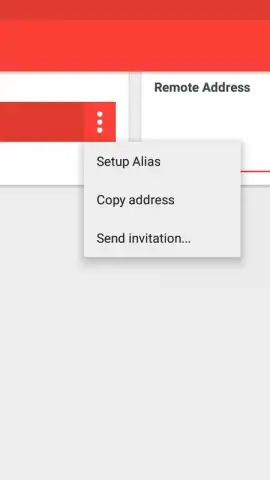
Setting up this powerful connection is refreshingly straightforward. You start by installing the companion software on the Windows computer you want to access. Once that’s done, a unique numeric address is generated for that machine. You then simply open the AnyDesk app on your Android device, enter that address, and within seconds, you’re in. The session establishes a direct, secure link, putting the full power of your computer’s interface onto your mobile screen. You can even set up and save connections to multiple computers, switching between your home desktop, your office workstation, and a family member's PC with just a couple of taps. It’s about building your own personalized network of accessible devices.
For those who demand the absolute pinnacle of performance, the optional Turbo mode unlocks an even higher tier of speed and efficiency. This enhanced experience ensures that every mouse movement, every keystroke, and every screen refresh happens with near-instantaneous feedback, making intensive tasks feel completely natural. And you can enjoy all of this in a clean, focused environment completely free of advertisements, allowing you to concentrate solely on the task at hand.
Here’s what you gain by making AnyDesk your remote access solution:
- Take your full Windows desktop with you anywhere, accessing all programs, files, and tools as if you were physically present.
- Experience incredibly fast, lag-free performance with a responsive connection that makes remote control feel perfectly natural.
- Manage multiple saved computers effortlessly, switching between different desktops with just a couple of quick taps.
- Work in an ad-free, clean interface designed for maximum focus and uninterrupted productivity on the go.
- Enjoy powerful optional Turbo mode for ultra-low latency and the highest possible connection speeds for demanding tasks.
You owe it to your future self to never feel stranded from your work again. Consider downloading AnyDesk now and experience the freedom of having your computer truly in your pocket.
Internet required. IAP available.
 GooglePlay


