

ap15
ap15 screenshots (5)
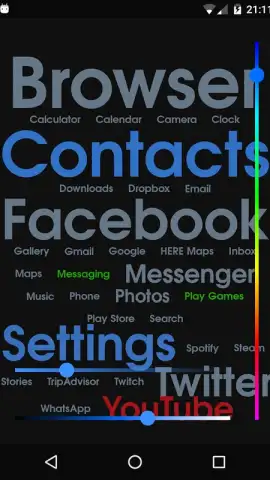




Description ap15
The Problem with Modern Android Tools
Managing a high-performance Android 12L+ device often feels like navigating a powerful machine with basic controls. You have the hardware capability for seamless multitasking, advanced automation, and deep system insights, but accessing these functions typically requires a fragmented collection of apps or complex, technical workarounds. This gap between potential and practical utility creates daily friction, leaving power users and efficiency seekers wanting a unified, intelligent control panel designed for the modern mobile OS.
A Consolidated System Interface
ap15 by Apseren Industries functions as an advanced system integrator and toolkit, built from the ground up for Android 12L and later. It consolidates disparate system-level functions into a single, coherent interface, granting you granular control and insightful analytics without requiring root access. The core mechanic revolves around a dynamic dashboard that adapts to your usage patterns, surfacing relevant tools and real-time system data. One interacts not with isolated utilities, but with an interconnected suite where a system monitor informs a quick-setting toggle, and a battery health analyzer links directly to a profile-based power management scheduler. The app acts as a bridge, translating the complex language of system processes into actionable, visual feedback and one-tap actions.
Engineered for Precision and Performance
The primary advantage of ap15 is its architectural cohesion and focus on user experience. Unlike cobbled-together toolkits, it presents a visually streamlined interface with a consistent design language, making advanced features approachable. Performance is paramount; the app utilizes efficient background processes to monitor system vitals like CPU cluster load, memory pressure, and thermal throttling with minimal overhead. Its automation engine allows for creating conditional rules based on time, location, or system state—such as automatically enabling a battery saver profile when battery falls below 30% during work hours. The visual feedback is data-rich yet clean, using clear graphs and legible metrics instead of overwhelming technical jargon, making system management an intuitive rather than intimidating task.
Key Features and Tools
- Adaptive System Dashboard with customizable widgets for live CPU, RAM, and network monitoring.
- Advanced Automation Studio for creating location, time, or event-based device profiles.
- Granular Permission Manager that provides detailed logs and one-tap revocation for any app.
- Deep Cache Cleaner and Storage Analyzer with visual maps and smart junk file identification.
- Real-time Thermal and Battery Health Monitor with discharge cycle tracking and preservation tips.
Download the Mobile App Now
For Android 12L+ users seeking to unlock their device's full potential, ap15 represents a significant leap in integrated system management. This is not merely a collection of tools but a unified platform for optimization and control. Exclusive early access is available for the first wave of users, offering a chance to experience a streamlined, powerful Android interface before wider release. Transform your device from a reactive tool into a proactively managed system.
Internet required. IAP available.
 GooglePlay


