

App Eater
App Eater screenshots (8)


Description App Eater
The Problem of Digital Clutter and How to Solve It
Mobile devices accumulate unused applications over time, creating a persistent management issue. These dormant apps consume valuable storage space, potentially slow down system performance, and clutter the interface, making it difficult to locate the tools you actually use. Manually identifying and removing these applications is a tedious, time-consuming process that often gets deferred. App Eater addresses this core inefficiency directly, functioning as a systematic utility for auditing and purging installed software with a level of automation and insight that manual methods lack. It transforms device maintenance from a chore into a streamlined, data-driven operation.
Analytical Overview of App Eater's Functionality
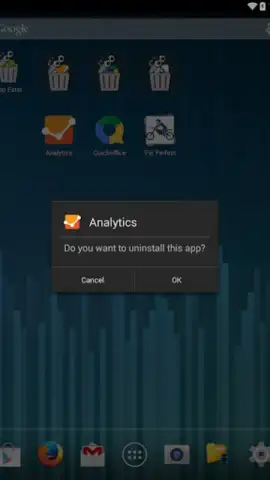
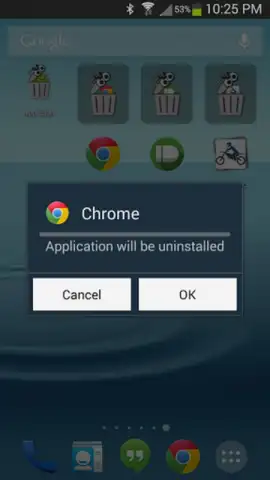
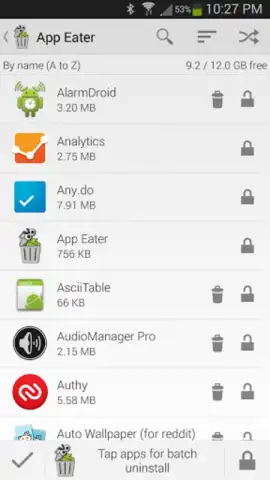
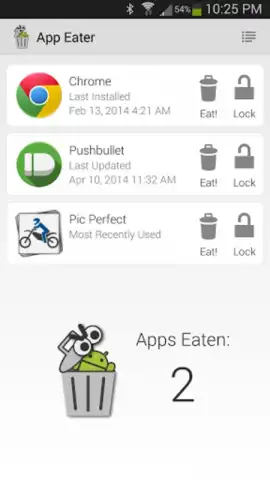
App Eater operates on a principle of comprehensive application analysis and batch operations. Upon launch, it scans your device and presents a sortable inventory of all installed applications. The primary sorting metrics are the date of last use and the installation date, providing two critical lenses for identifying redundancy. Alongside each entry, the utility clearly displays the storage footprint of the application, including its data and cache, presenting a factual basis for removal decisions. This transparency is central to its function, moving beyond guesswork to quantified data on resource consumption.
The tool's efficiency is significantly amplified by its batch uninstallation capability. Users can select multiple applications for removal in a single operation, bypassing the need to confirm each deletion individually through the standard system interface. A particularly nuanced feature is the option to remove the most recent update for a specific app, a valuable troubleshooting step for applications that become unstable after an update. For safety, App Eater maintains a detailed uninstallation history log, allowing for the reversal of decisions and the restoration of accidentally removed applications, provided their APK files remain accessible. Furthermore, the inclusion of filter options—by category, name, or size—enables precise targeting, such as removing all redundant utility apps or games at once.
- Performs intelligent app audits sorted by last use date or installation date.
- Displays precise storage consumption for each application and its associated data.
- Enables batch uninstallation of multiple selected apps in a single operation.
- Allows removal of problematic recent updates for individual applications.
- Maintains a full history log with restoration options for reversed decisions.
Do not tolerate a cluttered and inefficient device any longer. Take immediate control of your phone's storage and performance. Download App Eater now and execute a comprehensive cleanup in minutes!
Disclaimer: This application requires an internet connection for certain functions and may contain in-app purchases. Use of this tool requires careful review before confirming deletions, as data loss may be irreversible. Please check your device's age restrictions and be aware that the app will require access to usage data to perform its core functions. The developer is not responsible for the unintended removal of critical applications.


