
Keyboard Swap
Keyboard Swap screenshots (4)

Description Keyboard Swap
Tired of Digging Through Settings Just to Switch Keyboards?
You know the frustration. You have the perfect keyboard for work emails, a fun one for chatting with friends, and a minimalist one for browsing. But switching between them means a tedious trip into your device's settings every single time. That process breaks your flow and steals precious moments from your day. Keyboard Swap eliminates that friction entirely, placing ultimate control right at your fingertips. This free Android tool is designed for anyone who uses more than one keyboard and values a streamlined, efficient mobile experience. It transforms a clunky system task into something effortless and immediate.
Seamless Control at Your Command
Keyboard Swap integrates directly into your Android system, becoming an invisible but powerful layer of convenience. The application provides three distinct, intuitive methods to change your active keyboard instantly, without ever closing the app you're using. You are in complete command of your typing environment. The development philosophy focuses on pure utility and user satisfaction, which is why the core experience is completely free and devoid of any advertisements. The app operates with minimal system requirements, primarily using network access for essential functions like checking for important updates, ensuring you always have the latest improvements without any hassle.
The design is intentionally straightforward, putting powerful functionality ahead of unnecessary visual clutter. You get a no-nonsense tool that does one job exceptionally well: managing your keyboard preferences with speed and reliability. Future updates are planned to expand on this solid foundation, potentially introducing new widget styles and deeper customization options to adapt to your evolving needs. This focus on a clean, evolving user experience makes it a practical and essential install for power users and casual typists alike.
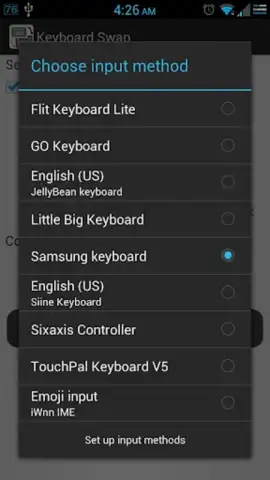
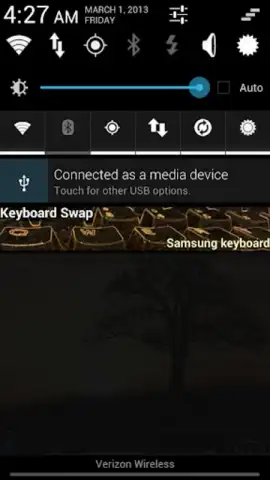
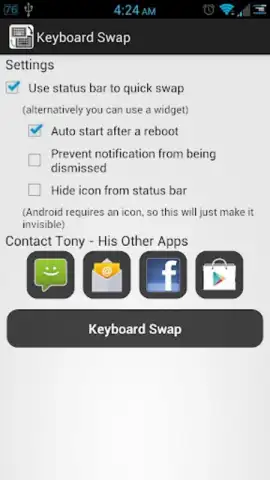
- Triple-Method Switching: Change keyboards directly from the notification shade, a dedicated home screen widget, or by launching the app. Your preferred method is always available.
- Zero-Advertisement Interface: Enjoy a completely clean and focused experience. The app prioritizes your productivity without any distracting ads or promotions.
- Lightweight System Integration: Runs efficiently in the background with minimal permissions, primarily for update notifications, ensuring no drain on performance or battery.
Stop accepting the slow, built-in method as your only option. Take direct control of your typing tools and reclaim your productivity. Transform how you interact with your device every time you need to type.
Download Keyboard Swap now and experience the fastest keyboard switching on Android!
Heads up: you'll need wifi for update checks. The app requires basic system permissions to function as your keyboard manager.


