

App Ops
App Ops screenshots (6)
Description App Ops
Take Absolute Control of Your Android's App Permissions
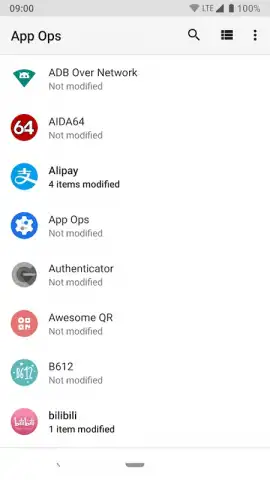
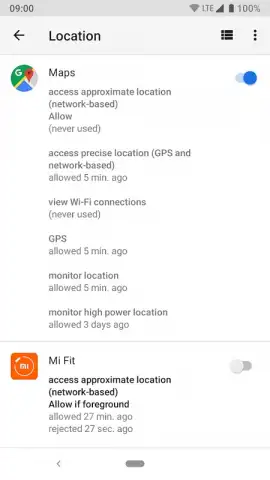
App Ops provides granular, system-level management over the permissions granted to every application on your Android device. This tool enables you to revoke specific authorizations—such as an app's ability to access your contact list, call history, or SMS messages—on an individual basis. Any permission can be reinstated at any time, offering dynamic control rather than a permanent block. The application delivers critical visibility into your device's privacy landscape, presenting a clear overview of which apps hold permissions to sensitive areas like your precise location, camera, or microphone. This detailed audit capability transforms abstract privacy concerns into actionable data.
Core Functionality and Operational Requirements
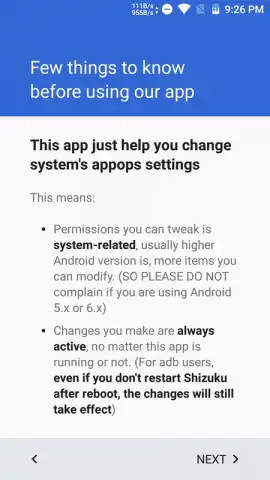
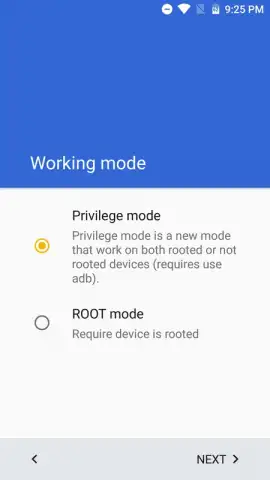
The utility operates by interfacing directly with Android's underlying permission framework. To function, App Ops requires elevated system access, achieved through one of two primary methods. The first and most straightforward path is on a rooted Android device, where the app guides you through a simplified setup process. The second method utilizes the Shizuku Manager service, which does not require permanent root privileges but involves a more complex initial ADB (Android Debug Bridge) setup via a computer. This process, while technical, is accompanied by detailed instructions within the application.
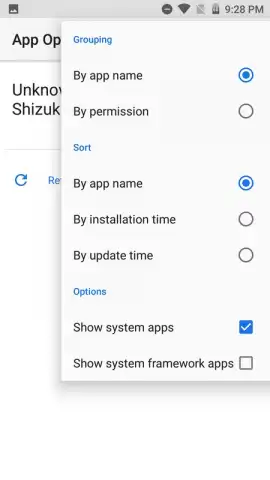
A key analytical feature is the permission-centric view, which inverts the standard app-by-app management model. Instead of checking one app's permissions, you can select any system permission—like "Body Sensors" or "Read Calendar"—to instantly generate a list of all installed applications that currently hold that right. This allows for efficient, bulk assessment of potential privacy exposures across your entire app ecosystem. The interface is designed for precision, allowing you to toggle permissions for each app directly from these lists.
Application Features
- Revoke individual app permissions
- View all apps by permission type
- Requires root or Shizuku Manager
The process of permission management is instantaneous on rooted devices. For users employing the Shizuku Manager method, changes are applied in real-time once the service is active. This system-level intervention means that changes take effect immediately for the target applications, which may behave as if they still have access while being blocked from actually retrieving the protected data. The application itself maintains a clean, ad-free user experience, focusing solely on permission management utilities.
Download App Ops now and lock down your privacy!
Get it immediately and start auditing your apps today!
Disclaimer: This application requires an active internet connection for initial setup and certain functions. Use of advanced features depends on your device's configuration (root/Shizuku). Always review app permissions responsibly, as restricting core functions may cause applications to malfunction.
 GooglePlay


