

AppsManager
AppsManager screenshots (8)



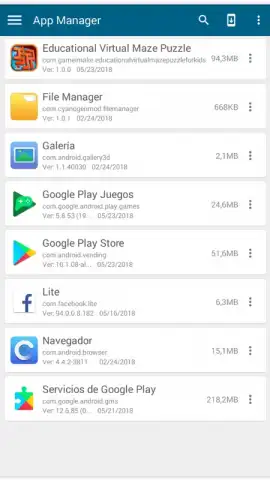
Description AppsManager
What if you could reclaim control over your Android's storage with surgical precision?
Managing a smartphone's internal storage and SD card often feels like a constant, losing battle against clutter. AppsManager, developed by Turbo G&A, approaches this not as a simple cleanup tool, but as a dedicated storage management suite for Android. It provides a centralized dashboard for the granular control necessary to optimize device performance, moving beyond basic uninstallation to address the root causes of wasted space. This review examines its core mechanics for users seeking to systematically manage their application ecosystem.
Core Functionality and Storage Mechanics
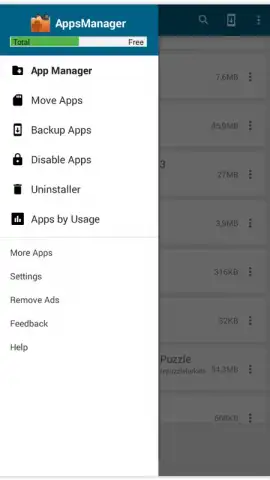
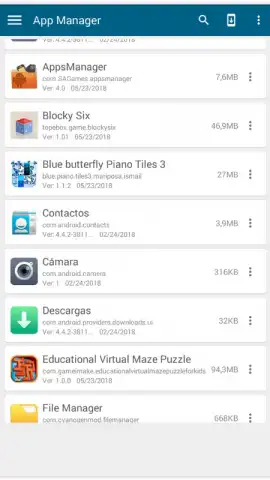
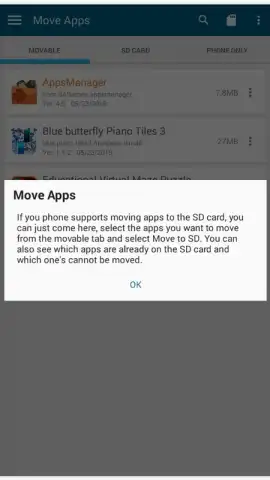
The application operates on a clear principle: visibility leads to efficiency. It presents a complete inventory of all installed applications, categorizing them by their storage location—be it internal memory or the expandable SD card. The primary function is the ability to batch-move applications between these storage mediums. This is critical for devices with limited internal space, allowing you to offload larger, less frequently used apps to the SD card while keeping essential system and performance-critical apps on faster internal storage. This direct control over placement is the first step in structured memory management.
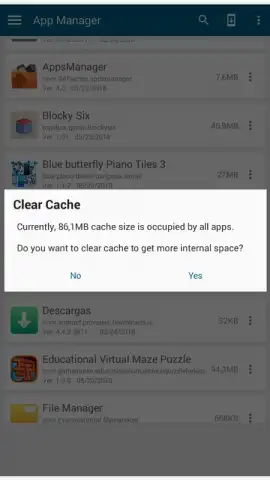
Beyond relocation, AppsManager integrates several maintenance tools into a single workflow. The cache cleaning function is not a blunt instrument; it allows you to inspect and selectively clear the temporary data accumulated by individual apps or all apps at once, recovering often significant amounts of space without touching personal data. Furthermore, the app includes a dedicated backup and restore utility for creating APK and data backups of your applications. This safeguards your setups and progress before any major cleanup or device migration, turning storage management from a risky purge into a secure operation.
Finally, the tool provides detailed analytics and uninstallation capabilities. It highlights applications that haven't been used in a user-defined period, identifying prime candidates for removal. The uninstaller works in batch mode, enabling the swift deletion of multiple apps to free up large blocks of storage in one action. The absence of advertisements, as noted by the developer Turbo G&A, ensures these tasks are performed without disruptive interruptions, maintaining focus on the system optimization process.
- Granular Storage Migration: Move applications individually or in batches between internal device storage and an SD card for optimal space allocation.
- Selective Cache Management: Review and clear app cache data to reclaim megabytes of storage without affecting your personal login or save information.
- Integrated Backup & Uninstall: Create local backups of app data and APK files, then safely remove unused applications in bulk to efficiently liberate space.
The need for such organized control is immediate—delaying optimization only allows cache files and unused apps to further consume resources. For a limited time, new users can access the full ad-free experience of AppsManager 4.0 to perform a comprehensive device audit. This offer provides exclusive, uninterrupted access to the tools required for definitive storage management.
Download AppsManager now and execute a full storage optimization today—this level of ad-free control is a time-sensitive opportunity for early adopters.
Internet required. IAP available.


