

Xiaomi Gallery
Xiaomi Gallery screenshots (10)


Description Xiaomi Gallery
A Cluttered Gallery is a Missed Opportunity
For many Android users, especially those with Xiaomi, Redmi, or POCO devices, the default photo management experience can feel like a missed opportunity. Images from your camera, saved memes, and screenshots from work all pile into a single, chronological stream, making it difficult to locate a specific memory or organize a growing visual library. This disorganization not only wastes time but can also consume valuable storage space with forgotten duplicates and unnecessary files. The Xiaomi Gallery app addresses this core problem directly, transforming your device's native storage into a intelligently managed, feature-rich media hub.
From Simple Viewer to Media Command Center
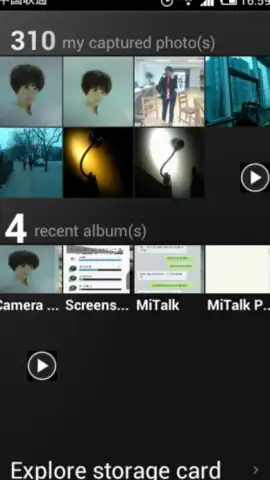
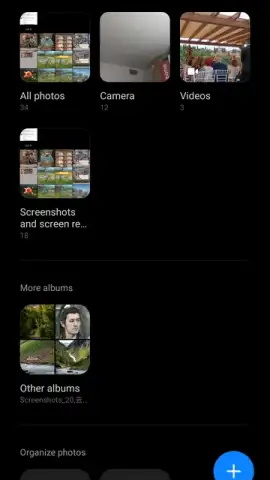
The application moves beyond being a simple image viewer by implementing a dual-navigation system. The primary 'Photos' view presents a comprehensive, auto-generated timeline of every image and video on your device, offering a quick way to scroll through your visual history. The more powerful 'Albums' section, however, is where the app's organizational intelligence shines. It automatically categorizes media into distinct folders based on source and type—such as Camera, Screenshots, Downloads, and Videos—creating immediate order from chaos. This foundational structure is fully customizable, allowing you to create personal albums for events, projects, or any other categorization you require.
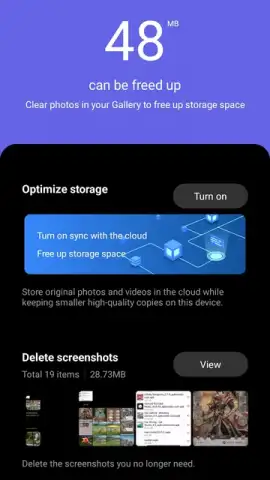
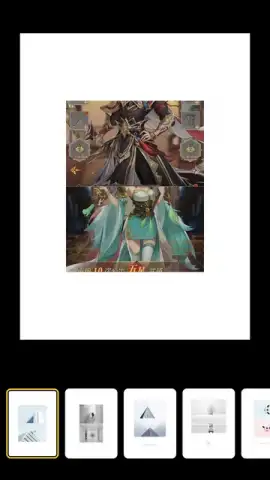
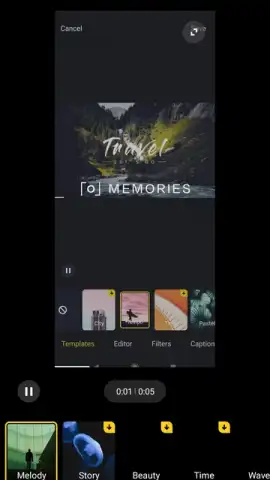
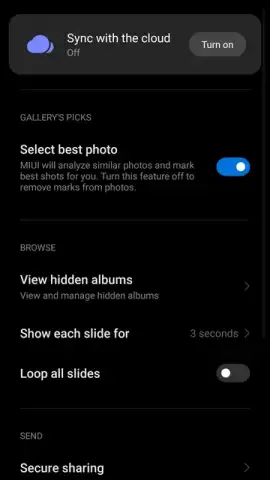
Further elevating its utility, Xiaomi Gallery includes a robust suite of management and editing tools. The built-in Cleaner function proactively scans for duplicate photos, blurry shots, and low-value screenshots, suggesting bulk deletions to reclaim storage with a single tap. For added security, a dedicated Recycle Bin holds deleted items for 30 days, providing a reliable safety net against accidental removal. Perhaps most significantly, the app integrates seamlessly with Xiaomi Cloud, enabling automatic backup and synchronization of your entire library, ensuring your memories are preserved beyond the physical limits of your device. Complementing these tools is a capable in-app editor for both photos and videos, supporting tasks from basic adjustments and filters to creating collages and short video clips.
The app's design philosophy prioritizes a clean, ad-free experience, allowing you to focus entirely on your content.
- Intelligent Auto-Sorting automatically groups photos by source (Camera, Screenshots) and type for instant organization.
- Storage Cleaner Tool identifies and helps remove duplicate images, blurry photos, and unnecessary files to free up space.
- Integrated Photo & Video Editor provides cropping, filters, collage creation, and basic clip editing without leaving the app.
- Secure Recycle Bin retains deleted photos for 30 days, protecting against accidental loss and allowing recovery.
- Xiaomi Cloud Synchronization offers optional backup to keep your entire gallery safe and accessible across devices.
If your device's current gallery feels limiting, consider downloading Xiaomi Gallery. It provides a noticeably more powerful and organized system for managing, protecting, and editing your personal media library.
Download mobile app now
Heads up: you'll need wifi for cloud sync and initial setup. Some advanced editing features and cloud storage beyond the free tier are extra.


