

Bengali Voice Typing Keyboard
Bengali Voice Typing Keyboard screenshots (9)

Description Bengali Voice Typing Keyboard
Effortless Bengali Text Input for Android Devices
Typing in Bengali on a standard smartphone keyboard often requires copying and pasting from external translators, disrupting your workflow and communication flow. This application transforms your default Android input method into a dedicated Bengali interface, integrating direct voice and text conversion tools to streamline the process.
Core Functionality and User Experience
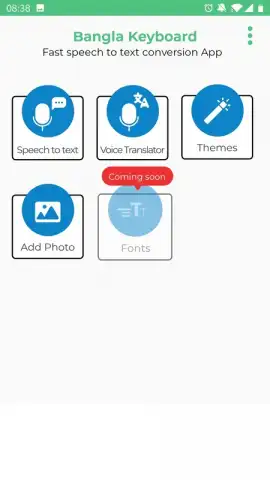
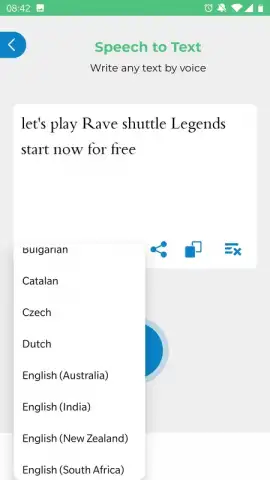
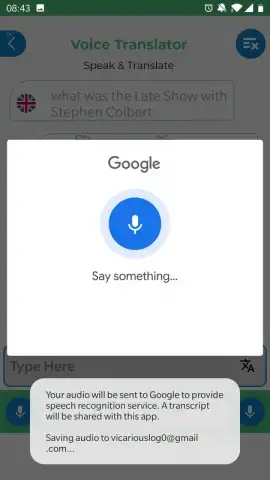
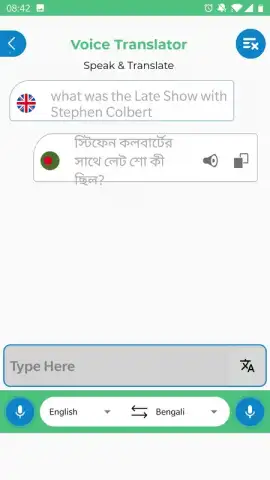
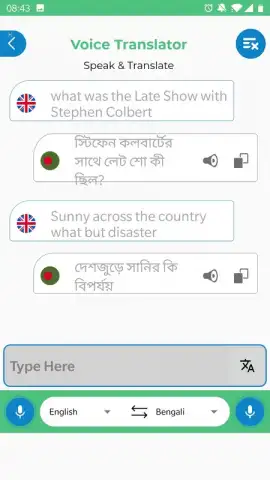
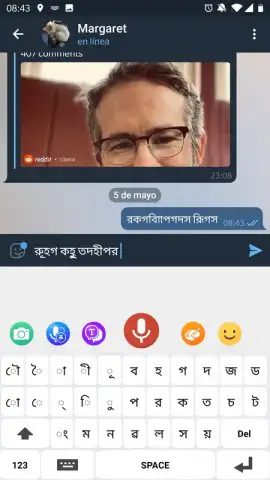
The app provides two primary tools within its ecosystem. The first tool integrates with translation services, allowing for bidirectional conversion between Bengali and other languages and includes access to Google Translate's voice input capability. The second tool is a dedicated speech-to-text module that accurately transcribes spoken Bengali into written form, which is particularly useful for users familiar with pronunciation but uncertain of correct spelling. The keyboard itself enables direct input of Bengali characters, eliminating the dependency on third-party applications for basic typing tasks during messaging or document creation.
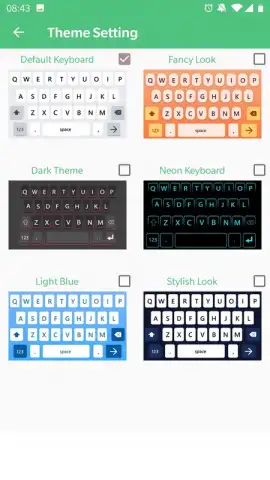
Installation and configuration follow standard system procedures for enabling a third-party keyboard. Post-setup, users can personalize the input interface by selecting from various included themes and background images to match visual preferences. An optional Turbo mode is available, which is designed to enhance performance and remove advertising elements from the user experience.
Key Application Features
- Voice-to-Text Transcription: Converts spoken Bengali language into accurately written text in real time.
- Integrated Translation Tools: Facilitates text and voice translation to and from Bengali using connected services.
- Customizable Keyboard Interface: Offers multiple visual themes and backgrounds for personalized typing.
We suggest trying this keyboard to handle all your Bengali digital communication and transcription needs directly from your smartphone. Consider downloading the app to install the Bengali Voice Typing Keyboard.
This application requires an internet connection for full translation functionality and may offer in-app purchases. It requires activation as a system keyboard in your device settings.


