

BitTorrent Sync
BitTorrent Sync screenshots (3)
Description BitTorrent Sync
A Practical Look at File Synchronization Without the Cloud
Managing files across a phone, tablet, and desktop computer often involves a compromise, typically relying on a third-party cloud service with storage limits and recurring fees. BitTorrent Sync presents a different architecture, operating as a direct peer-to-peer synchronization tool. It creates a private network between your own devices, allowing for the transfer and ongoing sync of folders without an intermediary server. This review examines the mechanics and practical application of this approach for personal file management.
Core Functionality and Interface Analysis
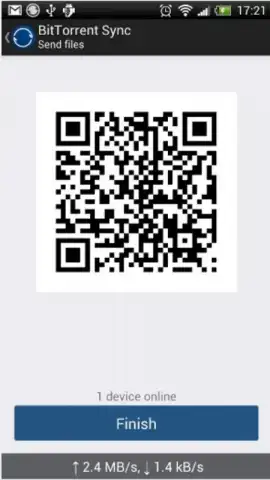
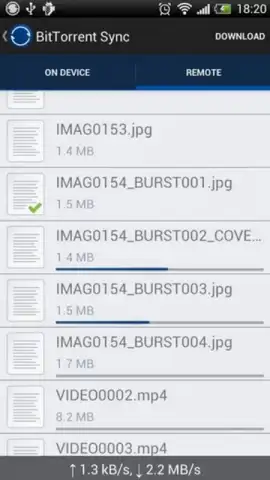
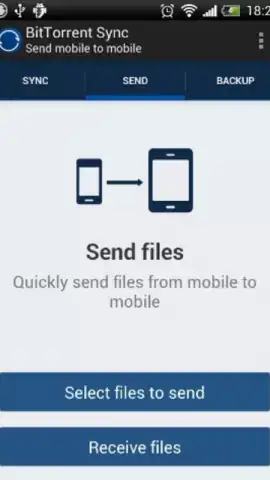
The application’s primary function is to establish synchronized folders across devices. A user designates a folder on one device, and the app generates a unique secret or QR code. Entering this key on another device links the two, initiating a direct transfer and ensuring any future changes are mirrored. The process for syncing media from an Android device is notably streamlined; the app can monitor a camera folder and automatically push new photos and videos to a linked desktop folder. The interface is minimal, focusing on a list of linked folders and their sync status. The optional Turbo Sync mode is a paid feature that accelerates transfer speeds by modifying network settings for higher priority data throughput.
The operational model offers distinct advantages for specific use cases. It provides a method for handling large files or vast quantities of data that would exceed typical free cloud storage quotas. Since data moves directly between devices, there is no upload to a company server, which can be a consideration for privacy or data sovereignty. However, this requires that devices be online simultaneously for syncing to occur. The absence of advertising within the core app interface is confirmed.
- Enables direct, peer-to-peer folder synchronization between Android devices and desktop computers without cloud storage.
- Automates the transfer of new photos and videos from an Android device to a designated synced folder on a PC.
- Utilizes unique secrets or QR codes to securely pair devices and establish encrypted connections for data transfer.
- Features an optional Turbo Sync mode designed to maximize file transfer speeds across the local network.
- Presents a minimal, list-based user interface focused on managing linked folders and monitoring sync progress.
We suggest trying BitTorrent Sync if you require a tool for managing large files or sensitive data between your own devices on a local network. Consider downloading the app to evaluate its direct synchronization method.
Disclaimer: This application requires an active internet connection or local network for synchronization to function. It may offer in-app purchases for additional features like Turbo Sync. Data usage will vary significantly based on the size and quantity of files being transferred. Users are responsible for complying with all applicable laws regarding the content they sync.


