

Bose Connect
Bose Connect screenshots (5)
Description Bose Connect
What if your headphones could do more than just play music? Bose Connect transforms your Bose audio devices into intelligent companions, offering a level of control and personalization that feels like a direct extension of your preferences. This official companion app is designed to unlock the full potential of your Bose wireless products, moving beyond basic Bluetooth pairing to deliver a curated, seamless audio experience.
Core Functionality and Management
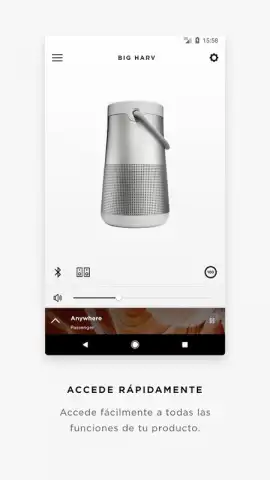
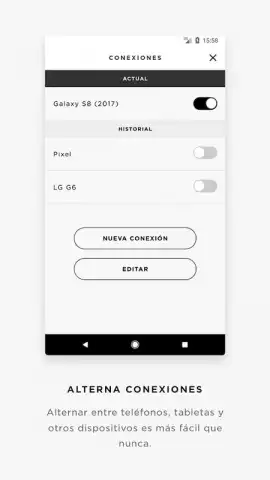
The app serves as a centralized command hub for compatible Bose headphones and speakers. Upon launching, it automatically detects nearby Bose devices, streamlining the initial connection process far beyond standard system Bluetooth menus. The primary interface provides a clear overview of your connected product's status, including battery level for the device and its carrying case. A key feature is the ability to manage multiple paired devices, allowing you to quickly switch the audio source between, for example, your QuietComfort headphones and a SoundLink speaker with just a few taps. For products with multi-point connectivity, the app offers precise control over which two devices are actively connected, eliminating guesswork.
Customization and Enhanced Features
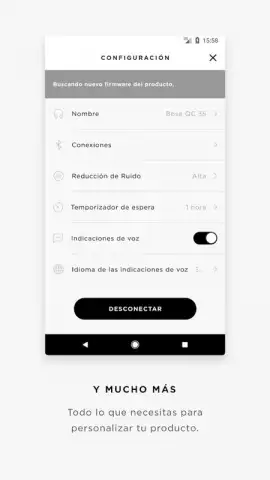
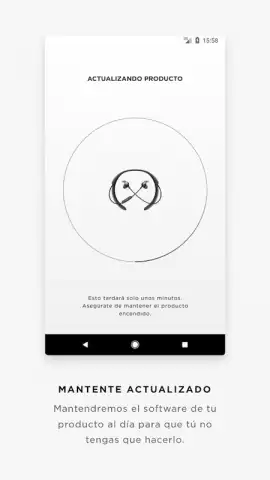
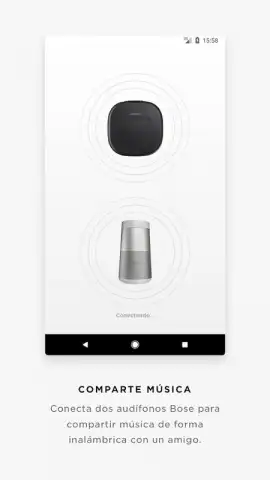
Beyond management, Bose Connect delves into sound and feature customization. Users can directly adjust levels of active noise cancellation (ANC) or transparency modes on supported models, fine-tuning how much of the outside world filters through. The app also provides access to firmware updates, ensuring your hardware benefits from the latest performance improvements and new features as soon as they are released. For select speaker models, the Party Mode feature enables you to wirelessly link two identical speakers for stereo sound, while Stereo Mode allows you to pair two speakers for a wider, more immersive left-right channel experience.
Key Advantages and User Experience
The principal strength of Bose Connect lies in its focused utility and polished user experience. It consolidates advanced settings that would otherwise be inaccessible or require memorizing complex button combinations. The design is clean and intuitive, prioritizing fast access to the most useful functions without clutter. Performance is reliable, maintaining stable communication with your Bose gear. It effectively transforms a premium audio product from a static device into a dynamically adjustable tool that adapts to different environments—be it focusing in a noisy cafe or staying aware on a busy street.
- Centralized device management for quick switching between multiple Bose audio products.
- Direct control over noise cancellation levels and transparency mode settings.
- Simplified management of Bluetooth multipoint connections for two devices.
- One-touch access to Party Mode and Stereo Mode for compatible Bose speakers.
- Ensures your device is up-to-date with seamless, over-the-air firmware updates.
We suggest trying Bose Connect to experience the definitive way to manage and personalize your Bose wireless audio. Consider downloading it to unlock every feature your device offers.
An internet connection is required for initial setup and firmware updates. The app is free to download and use, and is designed to work exclusively with compatible Bose Bluetooth® products.
 GooglePlay


