

Browser Leopard
Browser Leopard screenshots (7)
Description Browser Leopard
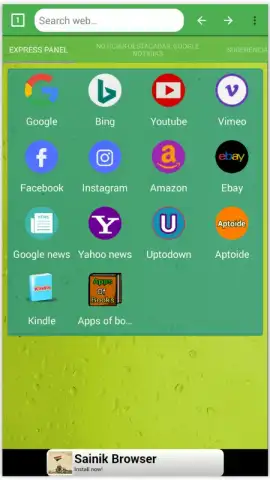
What if your mobile browser could organize the web for you, presenting tools and information before you even search, without the usual clutter? Browser Leopard approaches this by integrating a curated panel of smart shortcuts and news feeds directly onto its homepage, aiming to reduce navigation steps while keeping the interface clean.
Core Functionality and Layout
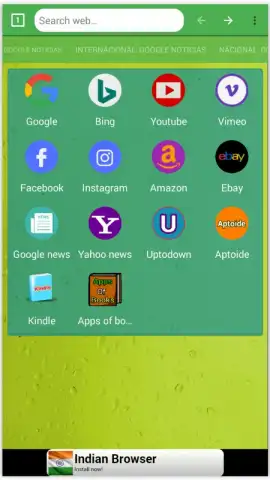
The application operates as a standard web browser but reconfigures the new tab page into a structured dashboard. The central area is reserved for one-tap access to predefined high-traffic platforms like Facebook, Instagram, and Amazon. Directly above this sits a prominent search bar, engineered to accept queries immediately, bypassing the need to first load a search engine's homepage. This layout suggests a design priority on shaving seconds off routine online actions.
Ad-Free Browsing and Content Curation
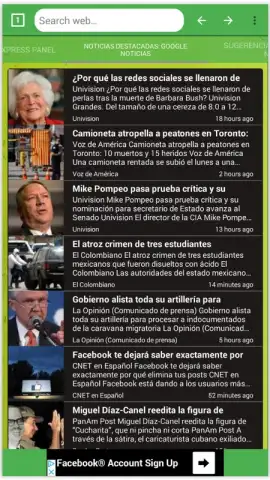
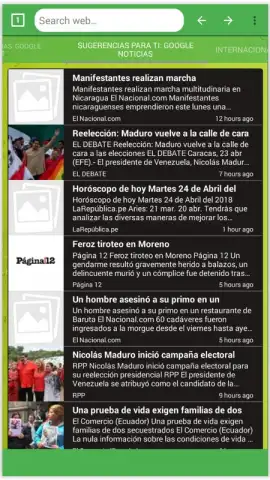
A key operational claim is the complete absence of display advertising, which is often facilitated by a built-in Turbo mode designed to block trackers and speed up page loading. Between the shortcut zone and the search bar, the interface dynamically populates a newsfeed. This feed categorizes articles by topic—such as technology, business, or entertainment—allowing users to scan headlines and tap through to full stories without navigating away from the browser's core environment. The system appears to pull from various sources, presenting them in a standardized, readable card format.
Design Philosophy and User Experience
The overall aesthetic is orderly and grid-based, emphasizing visual clarity. The intent is to balance the utility of having multiple content streams and shortcuts against the need for a distraction-free browsing canvas. Icons and text are sized for easy tapping, and the color scheme is typically muted to avoid visual competition with the web content itself. The design makes a conscious effort to feel integrated rather than bolted-on, suggesting the additions are part of the browser's native functionality.
- Centralized Smart Shortcuts: Instant access to social media, shopping, and news sites from the main screen.
- Direct Search Implementation: An omnipresent search bar that processes queries without intermediary pages.
- Categorized News Feed: A personalized stream of articles sorted by topic for efficient content discovery.
We suggest trying Browser Leopard if your daily browsing involves a predictable set of destinations and you value a streamlined, ad-minimized start page. Consider downloading it to experience this integrated approach.
Heads up: you'll need wifi for most features. Some cool stuff is extra.


